This guide shows how to make a new Learnvia course on Canvas.
- Log into Canvas.
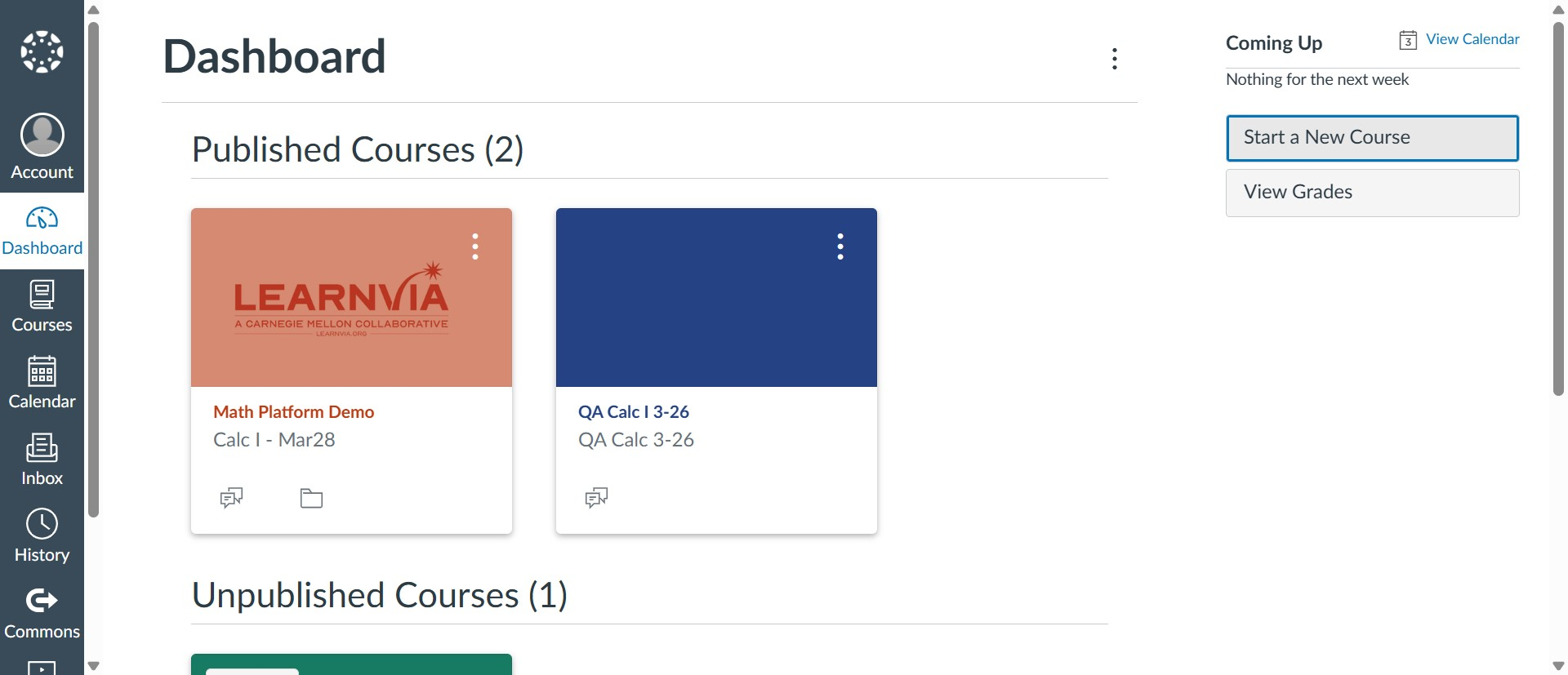
- Click "Start a New Course".
- Enter a name for your new Canvas course and click "Create".
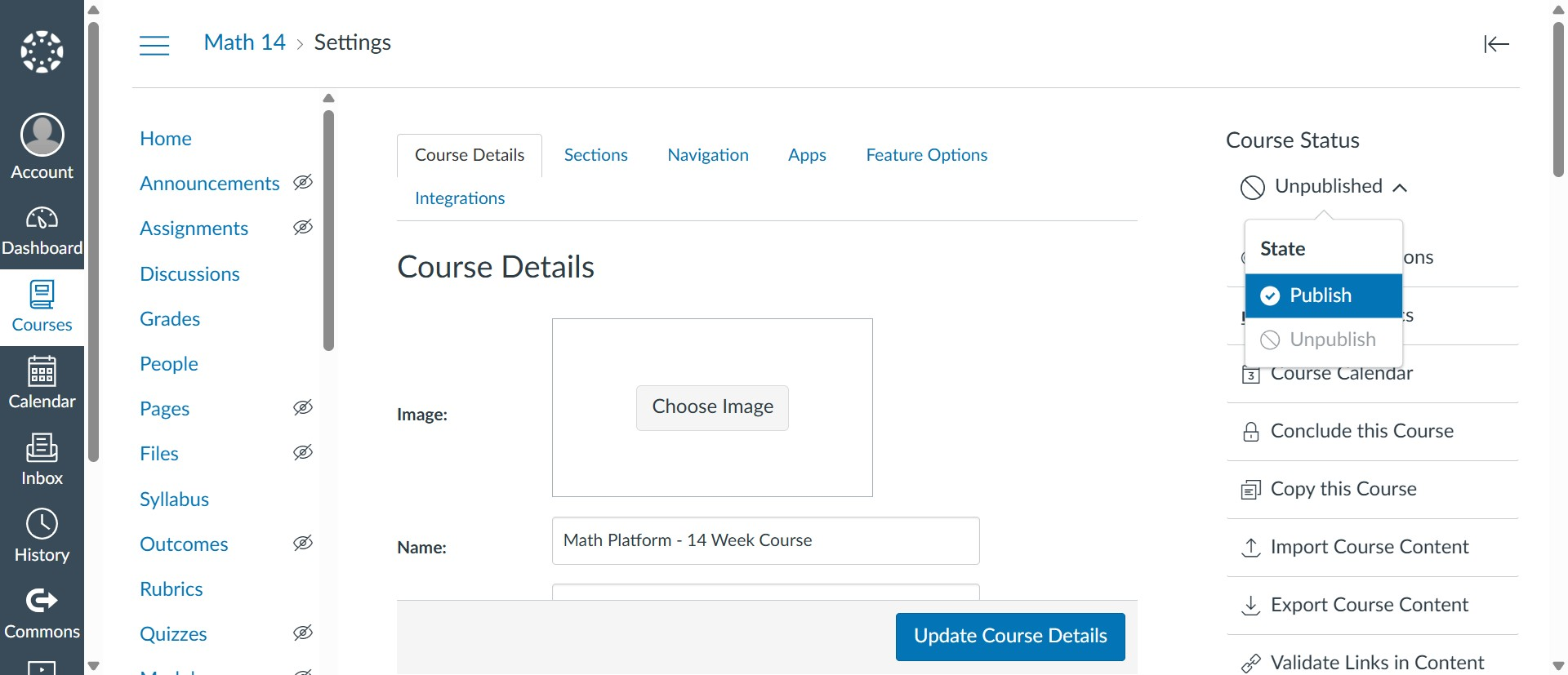
- Publish the course.
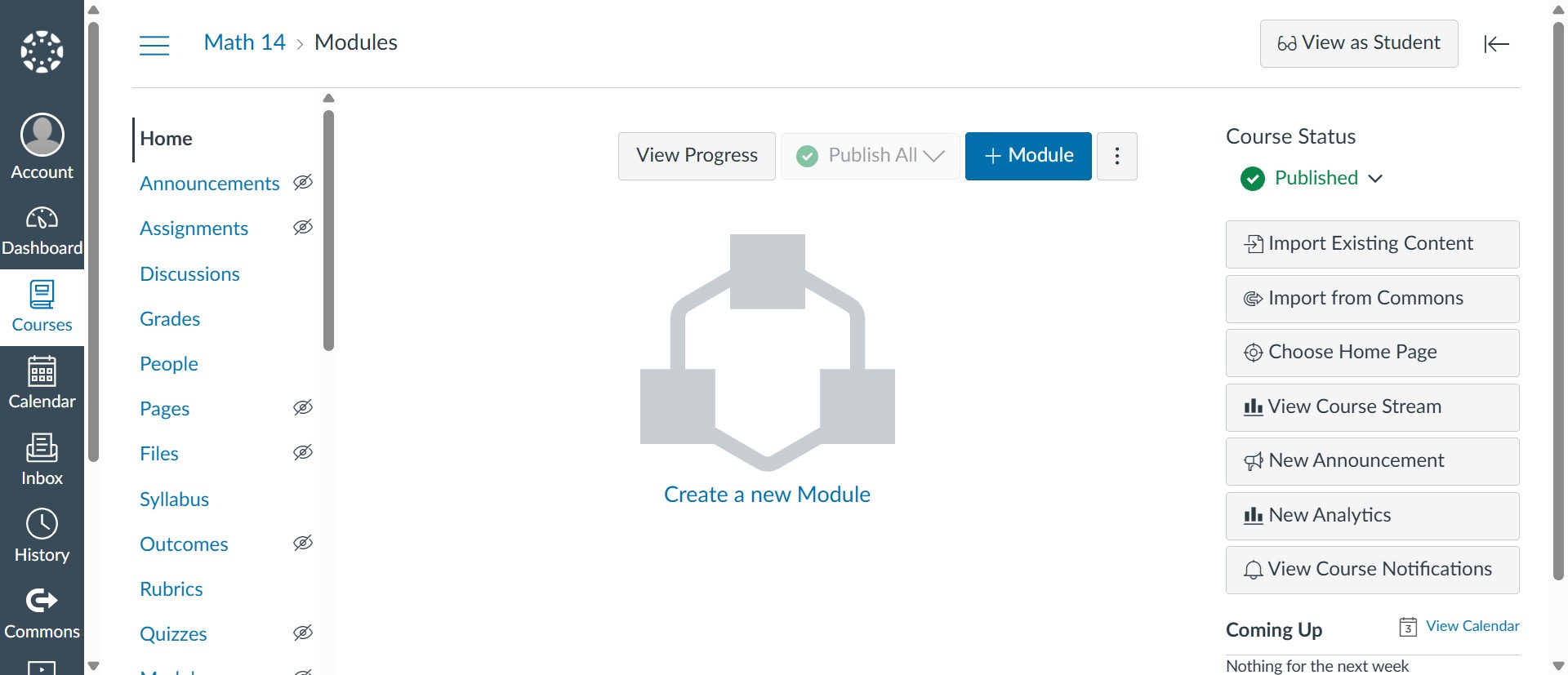
- Navigate to the "Modules" tab and click "+ Module".
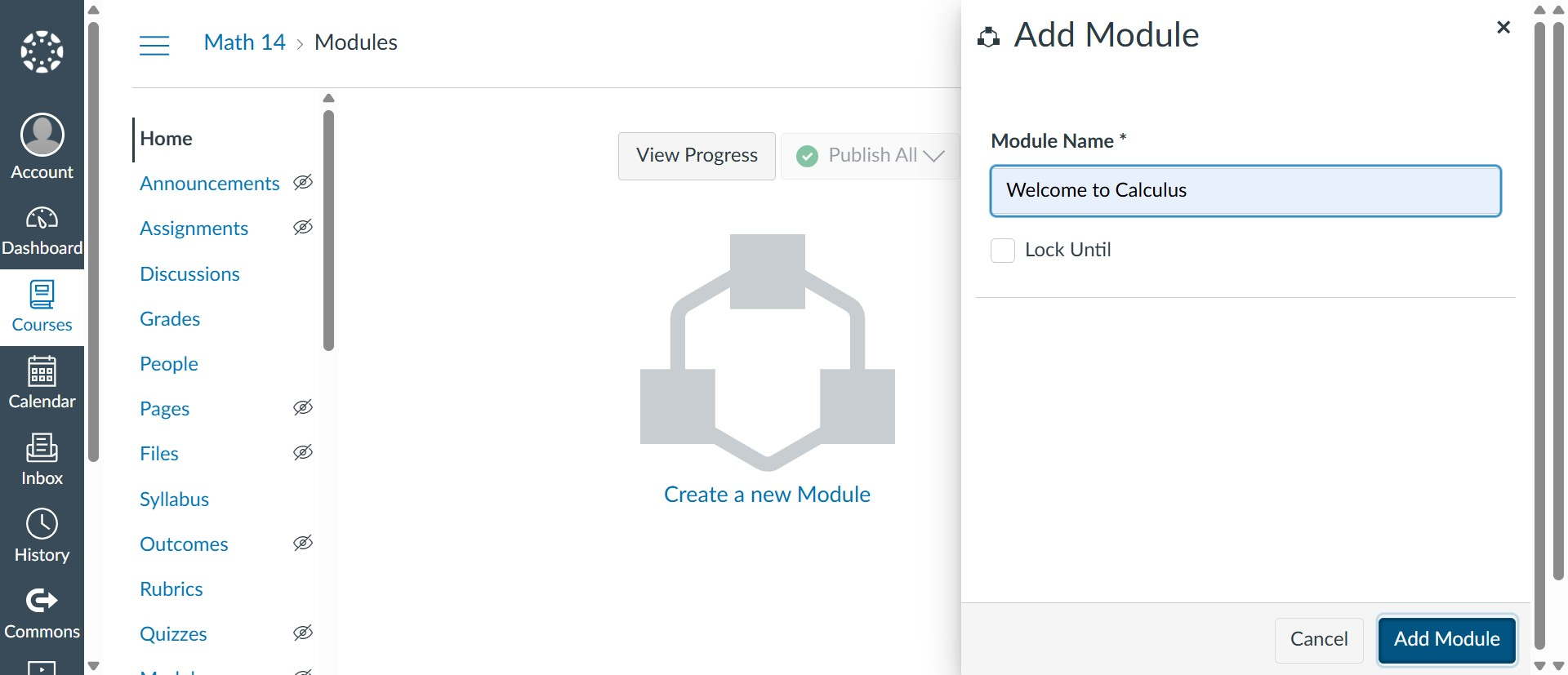
- Enter a name for the module and click "Add module".
- Publish the module.
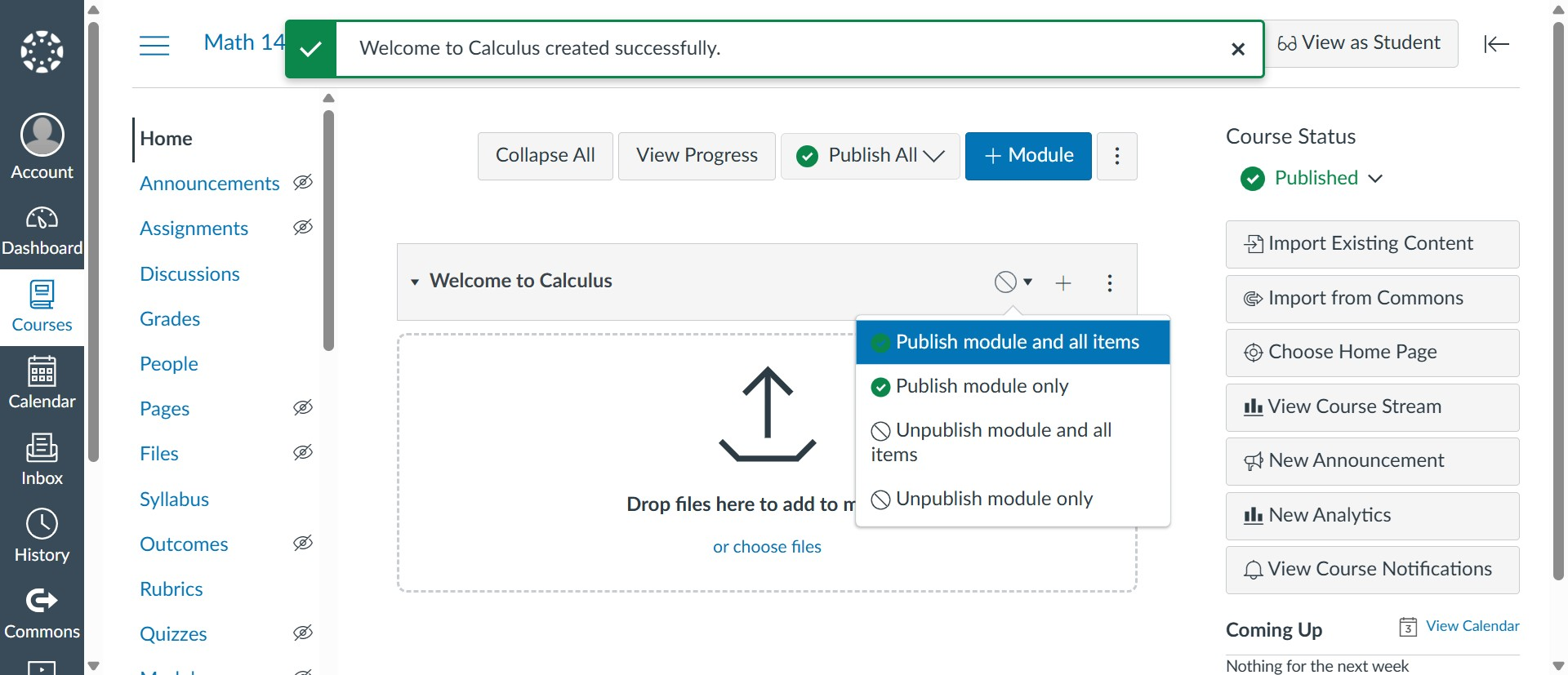
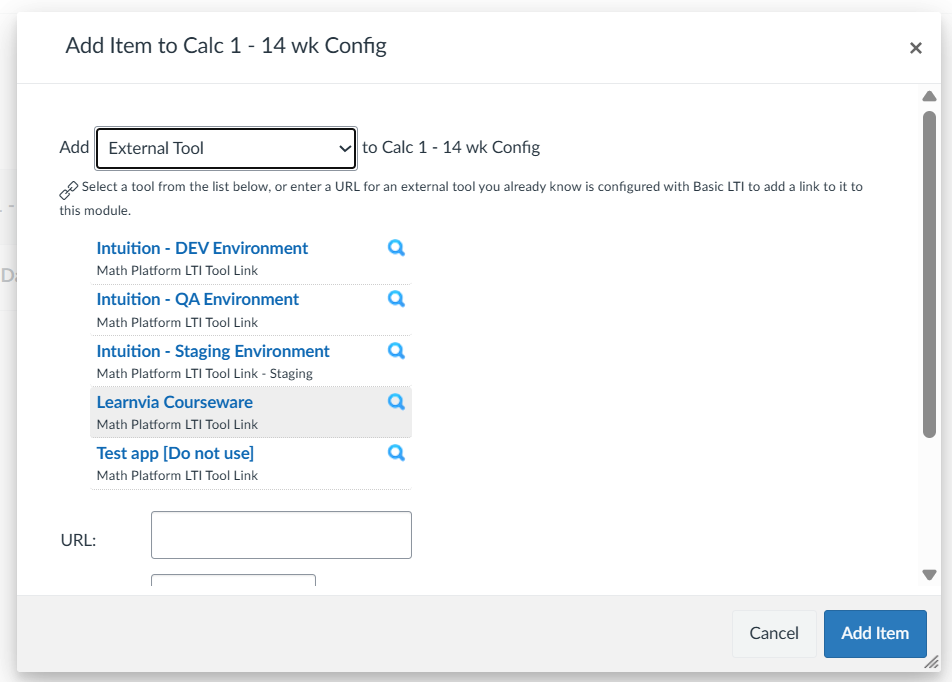
- Click the "+" icon next to the publish button to add the kit.
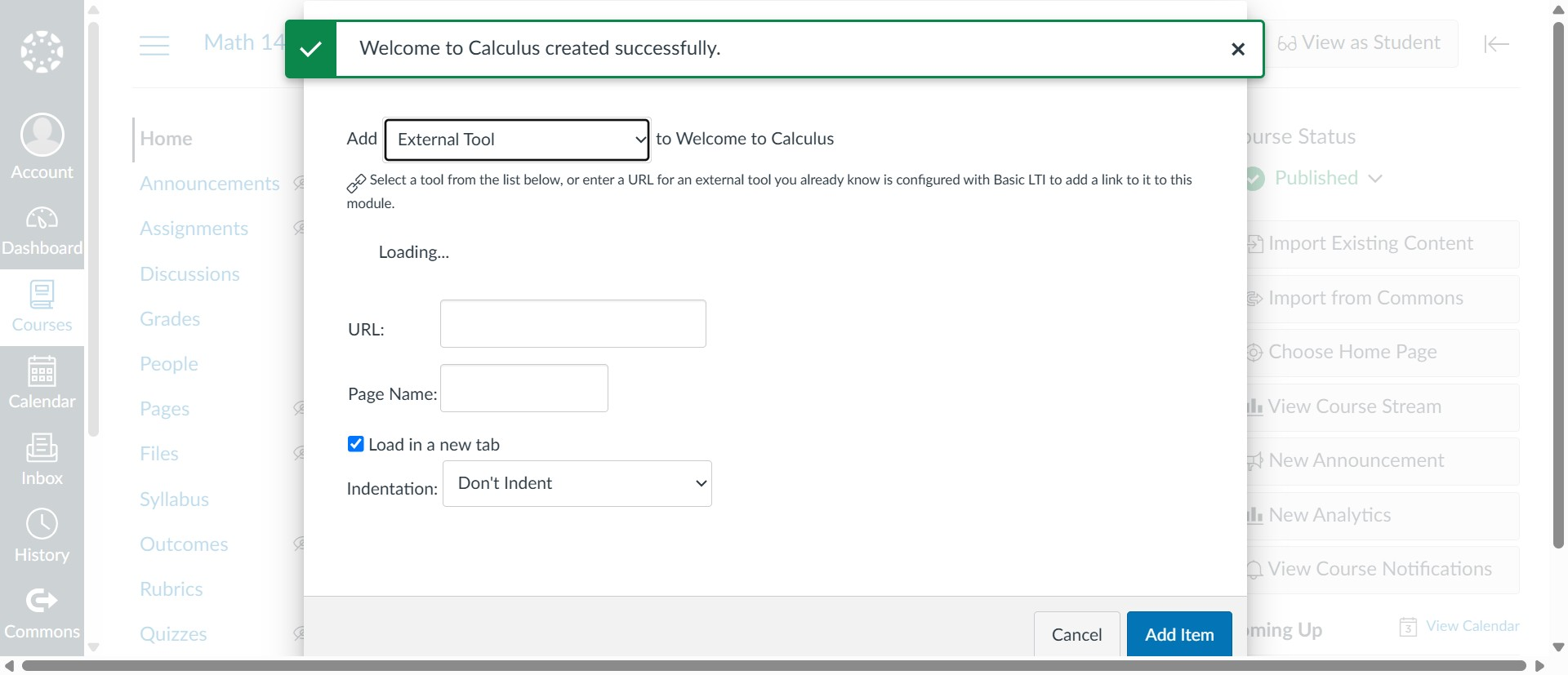
- Select the "External Tool" option.
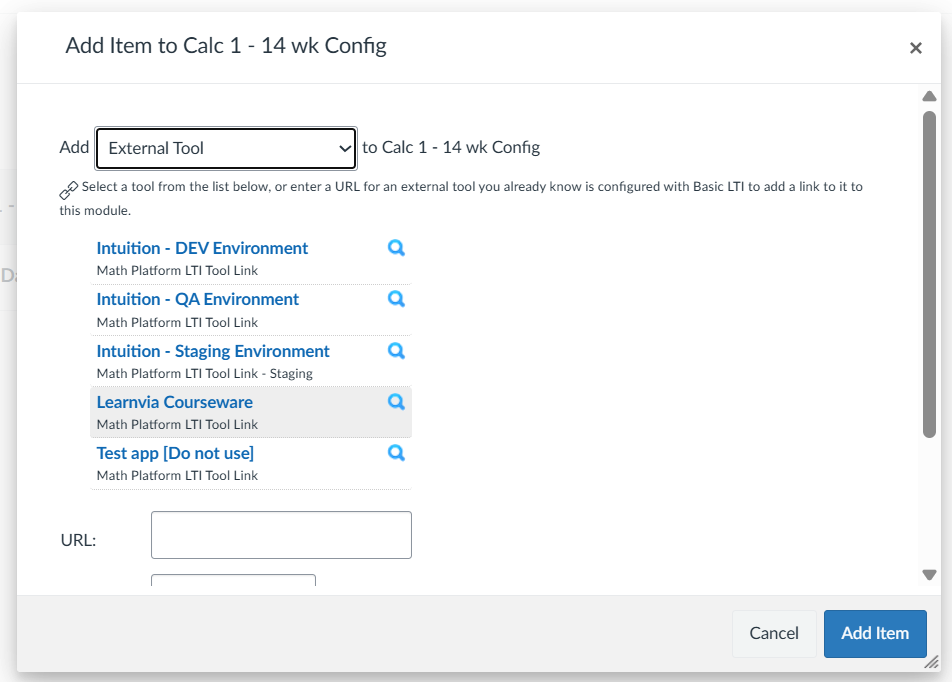
- Select the external tool named "Learnvia courseware".
- Click "Create".
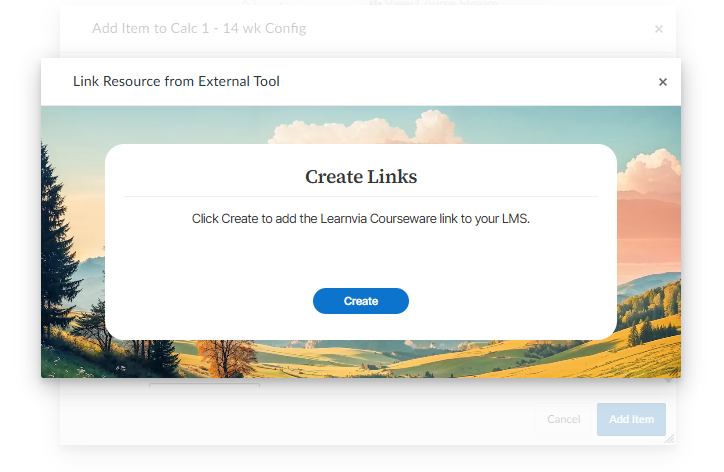
- Click "Add item".
- Publish the link.
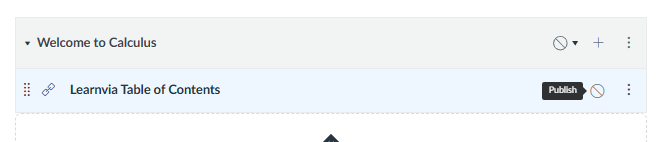
- Click Learnvia Table of Contents to access the course.
Was this article helpful?
That’s Great!
Thank you for your feedback
Sorry! We couldn't be helpful
Thank you for your feedback
Feedback sent
We appreciate your effort and will try to fix the article