Canvas Integration (Instructor setup)

Modified on Wed, 8 Jul at 10:00 AM

This guide shows how to make a new Learnvia course on Canvas.


  1. Log into Canvas.
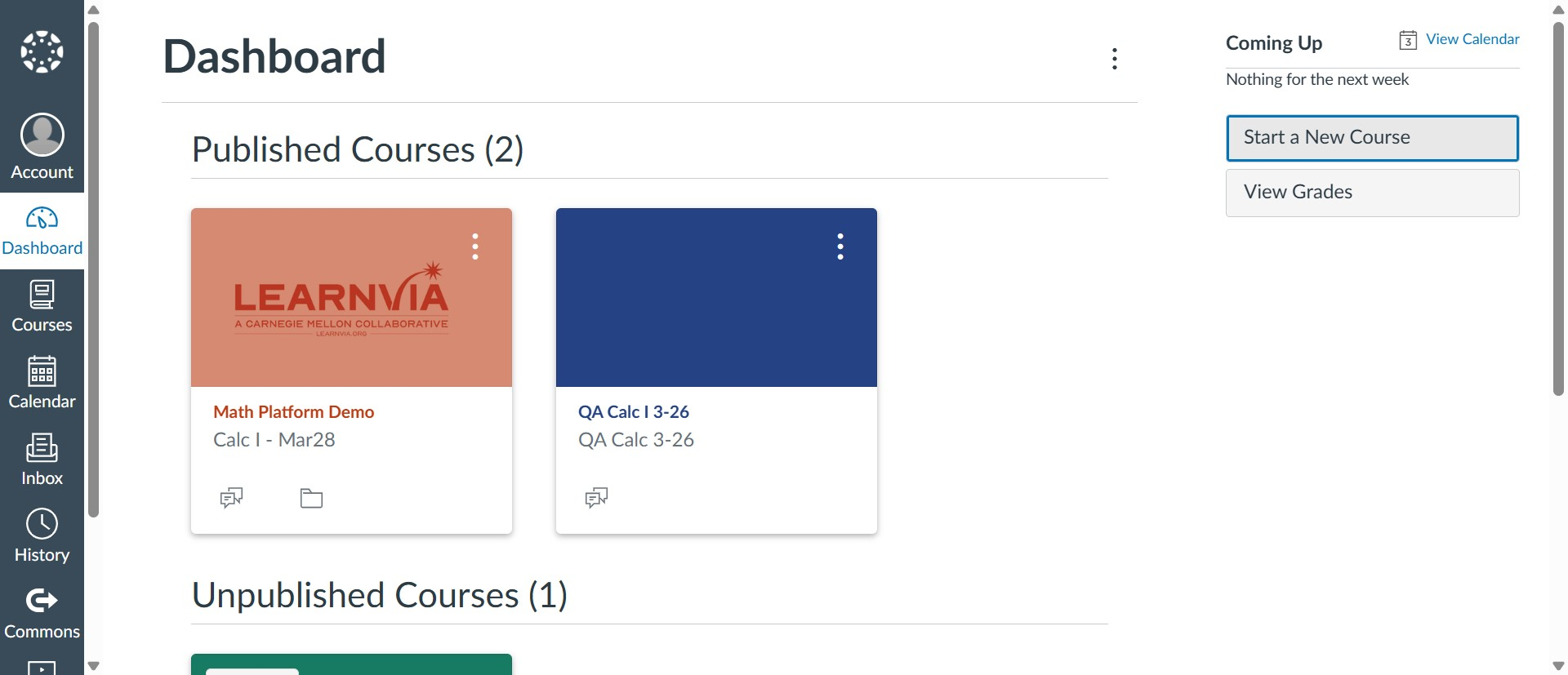
  2. Click "Start a New Course".Canvas Dashboard with the "Start a New Course" button highlighted in the right sidebar under Coming Up.
  3. Enter a name for your new Canvas course and click "Create".
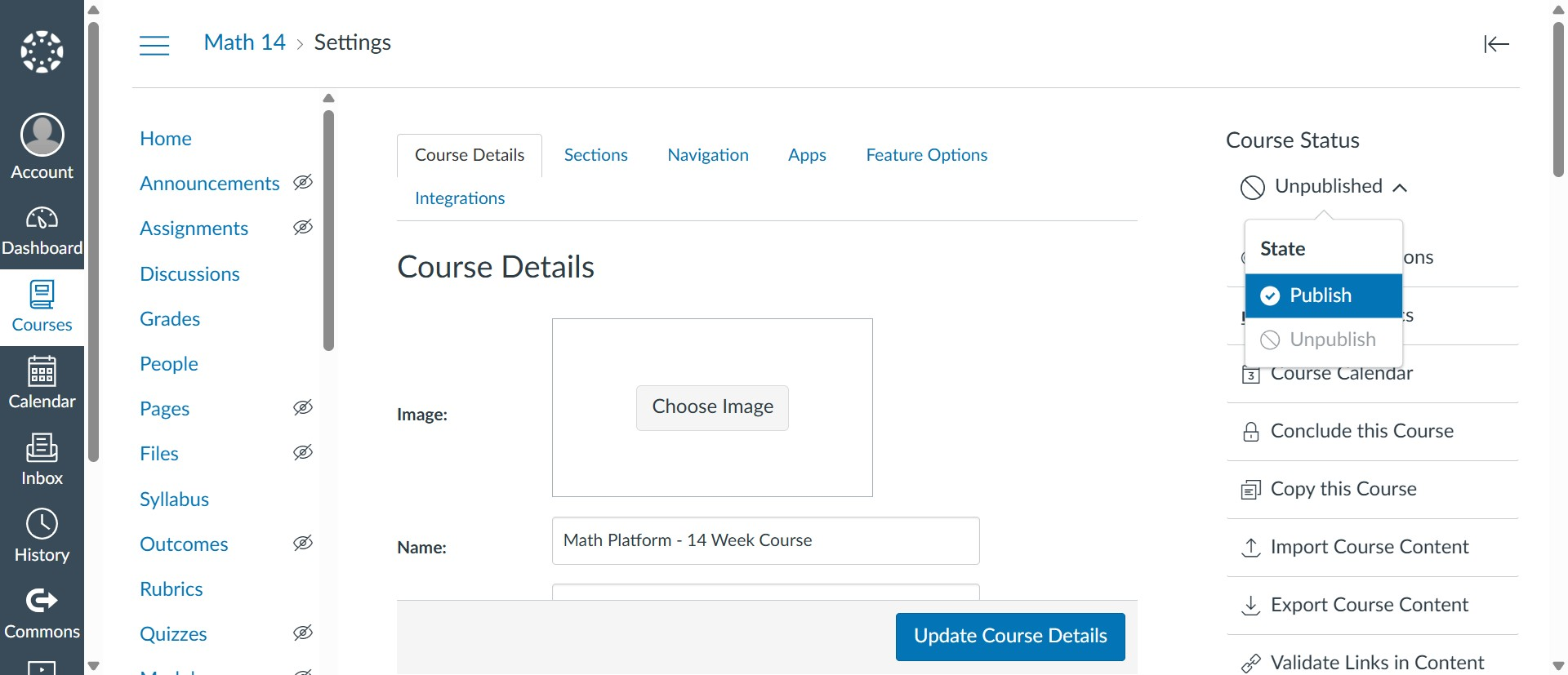
  4. Publish the course.Course Settings page with the Course Status menu open, showing the "Publish" option to make the course available to students.
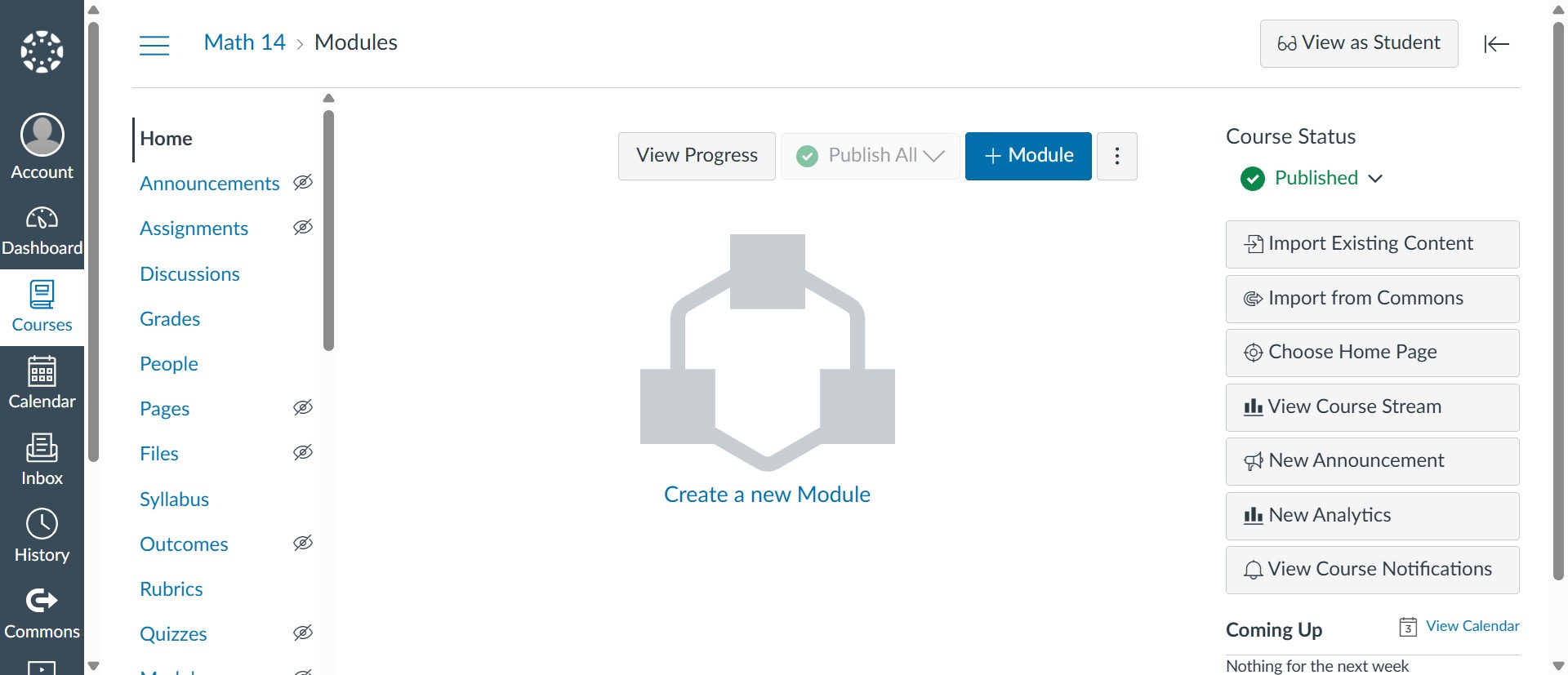
  5. Navigate to the "Modules" tab and click "+ Module".Course Modules page with the blue "+ Module" button at the top for adding a new module.
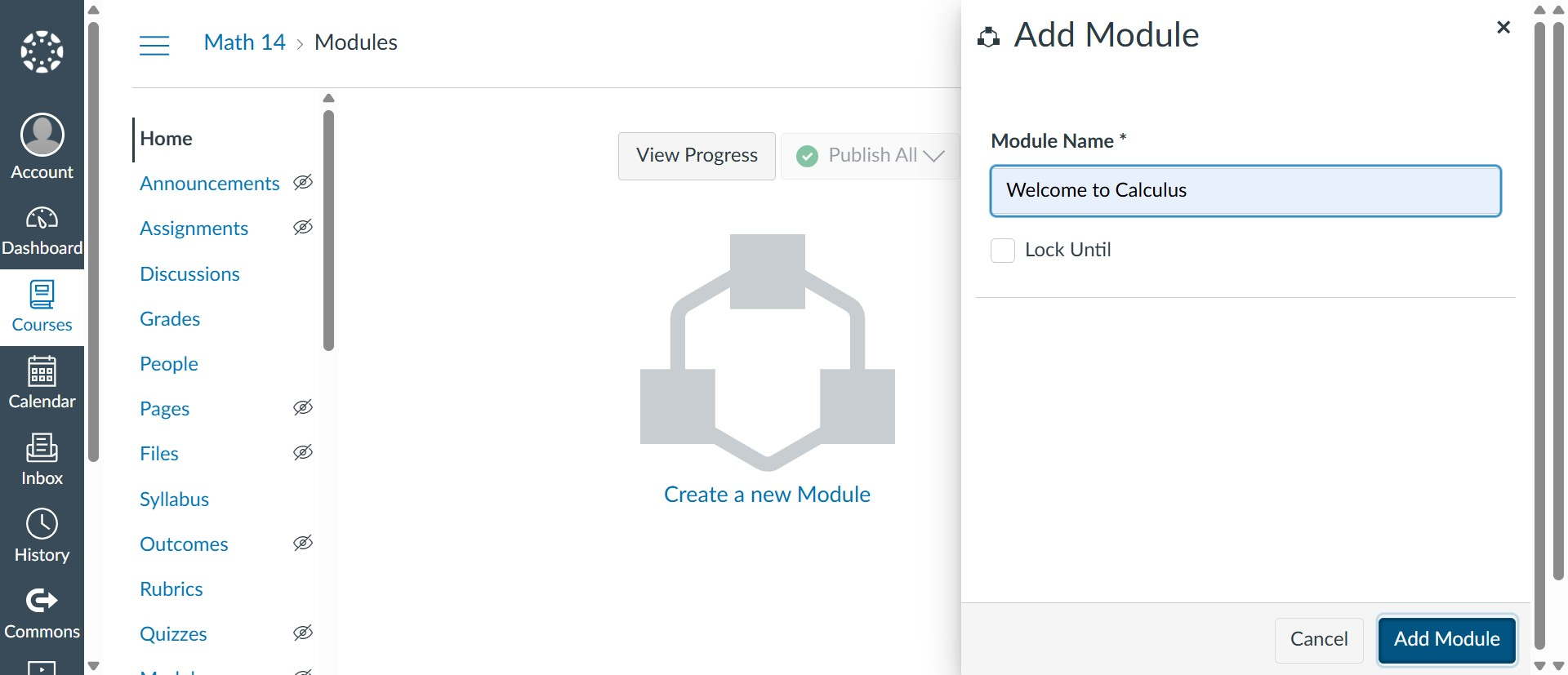
  6. Enter a name for the module and click "Add module".Add Module dialog with the Module Name field filled in and the "Add Module" button.
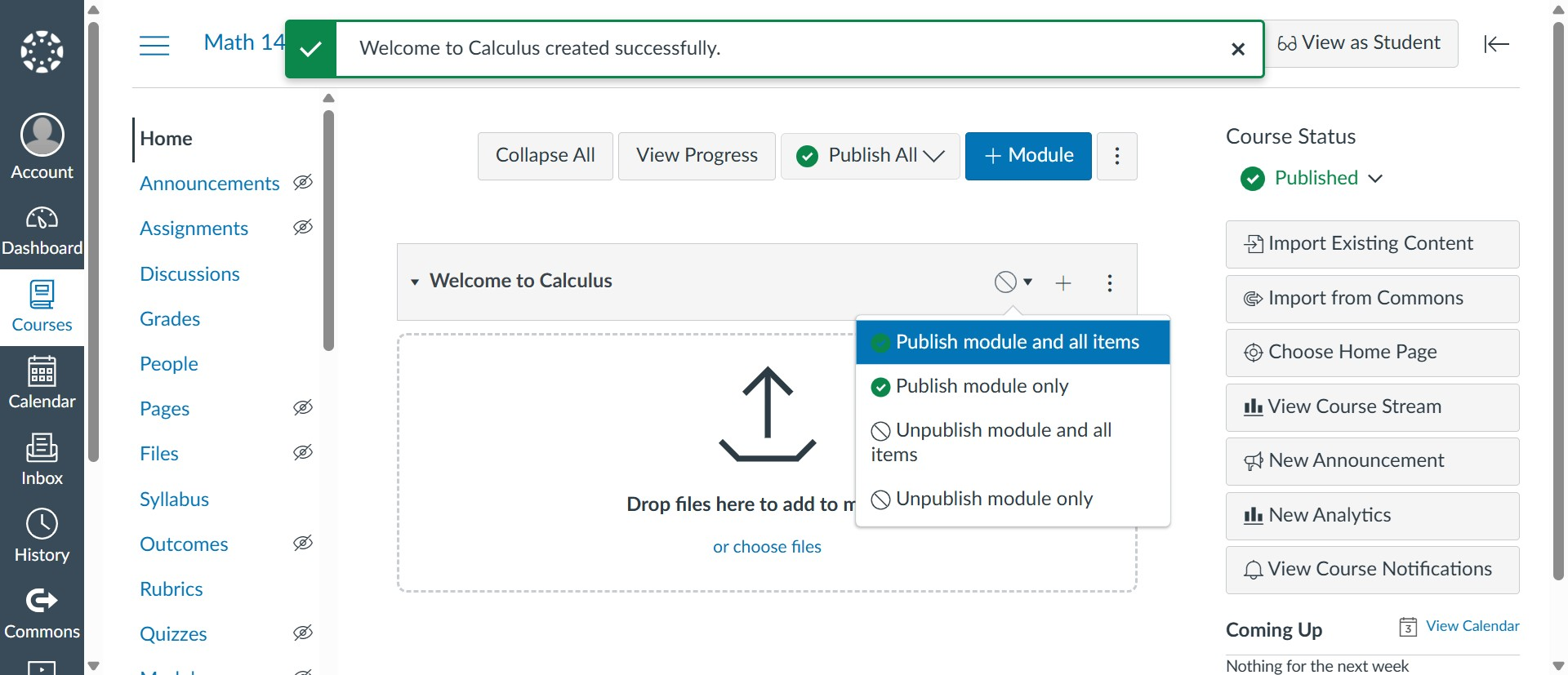
  7. Publish the module.New module header with the publish menu open, showing "Publish module and all items" to make the module visible to students.
  8. Click the "+" icon next to the publish button to add the kit.
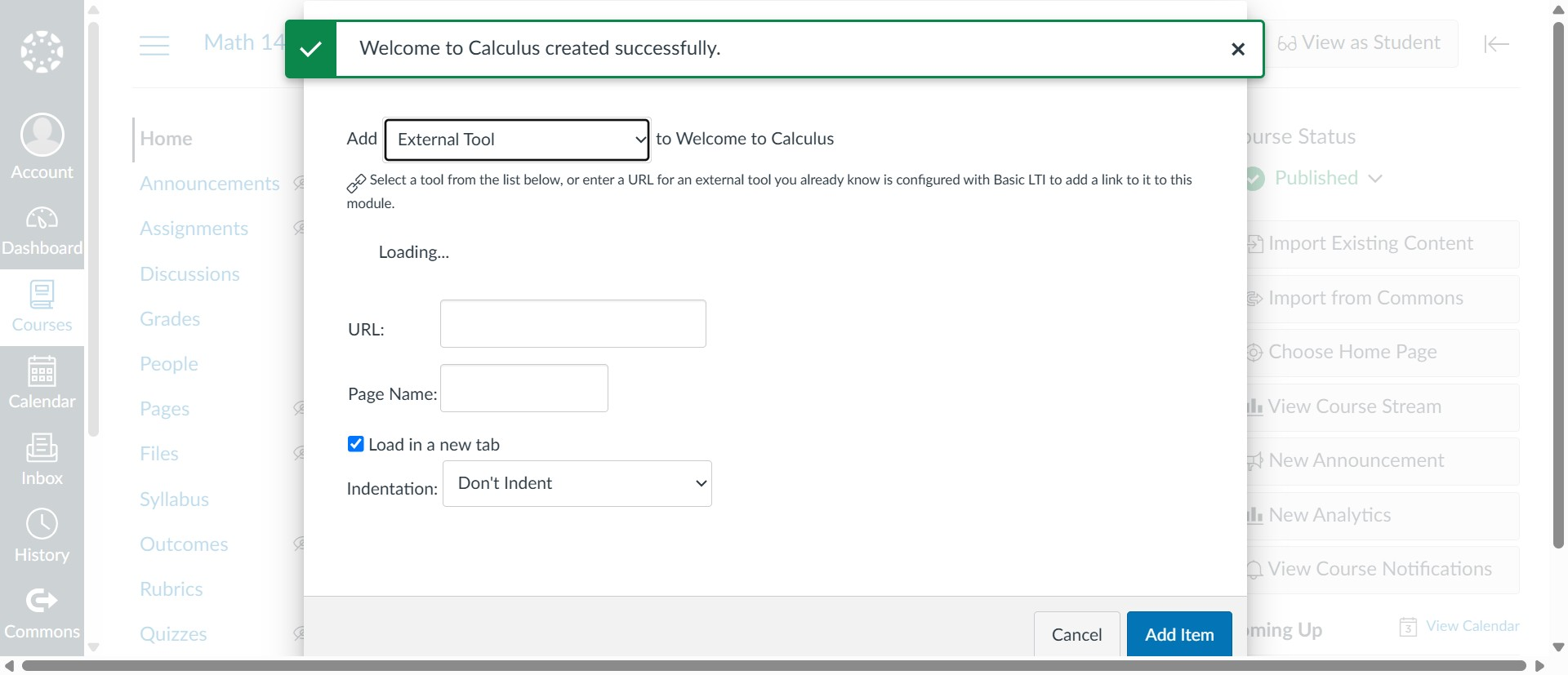
  9. Select the "External Tool" option.Add Item dialog with "External Tool" selected in the Add dropdown for adding the Learnvia kit to the module.
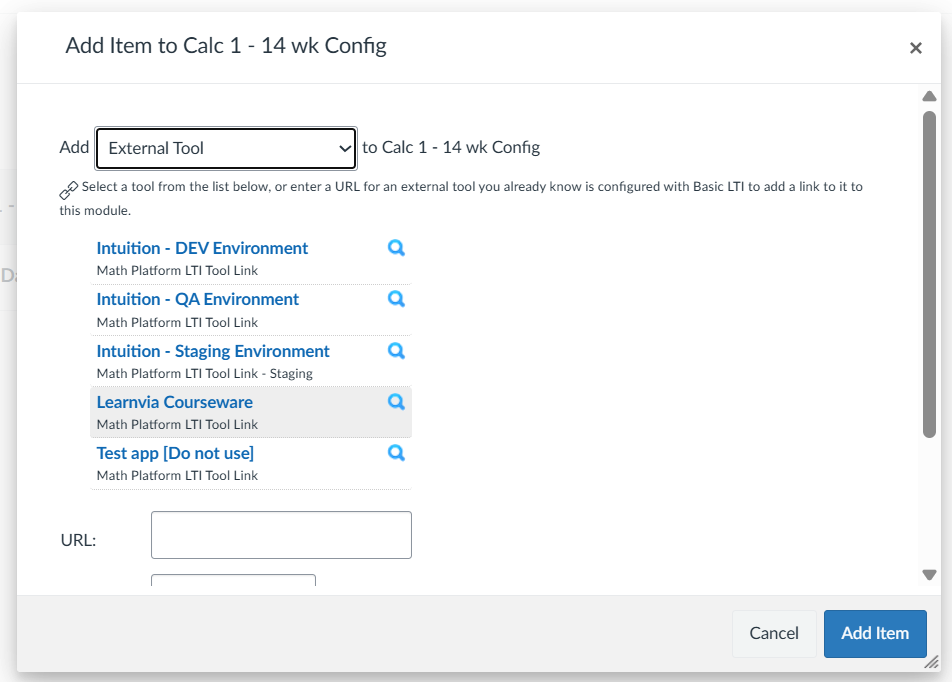
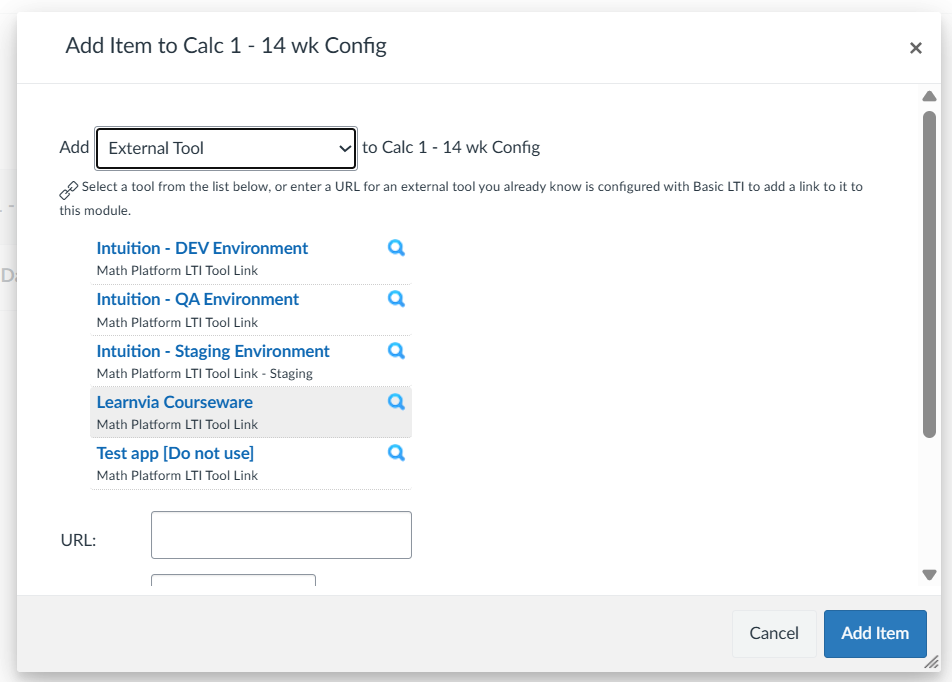
  10. Select the external tool named "Learnvia courseware".External tool list in the Add Item dialog with "Learnvia Courseware" selected among the Math Platform LTI tool links.
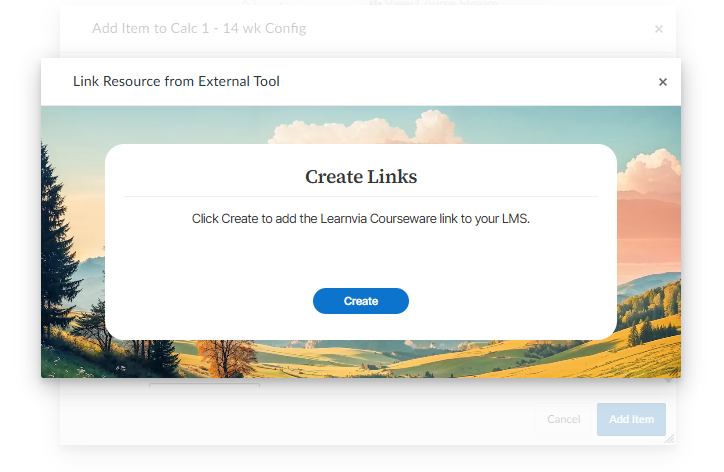
  11. Click "Create".Link Resource dialog with a Create Links panel and the "Create" button to add the Learnvia Courseware link.
  12. Click "Add item".
    External tool list in the Add Item dialog with "Learnvia Courseware" selected and the "Add Item" button at the bottom.
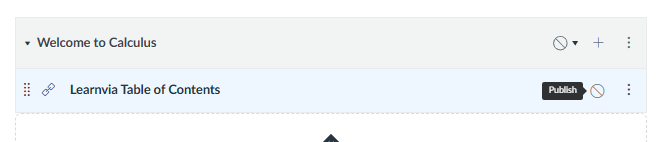
  13. Publish the link. Module showing the added "Learnvia Table of Contents" item with a "Publish" button to make the link available to students.
  14. Click Learnvia Table of Contents to access the course.

Was this article helpful?

That’s Great!

Thank you for your feedback

Sorry! We couldn't be helpful

Thank you for your feedback

Let us know how can we improve this article!

Select at least one of the reasons
CAPTCHA verification is required.

Feedback sent

We appreciate your effort and will try to fix the article