Student Self-Enrollment
This guide describes the process for students to self-enroll in courses on Learnvia's Canvas.
Who this is for: students who already have an enrollment link from their instructor. If you are not in a course that uses Learnvia, see Can I use Learnvia if my course doesn't?
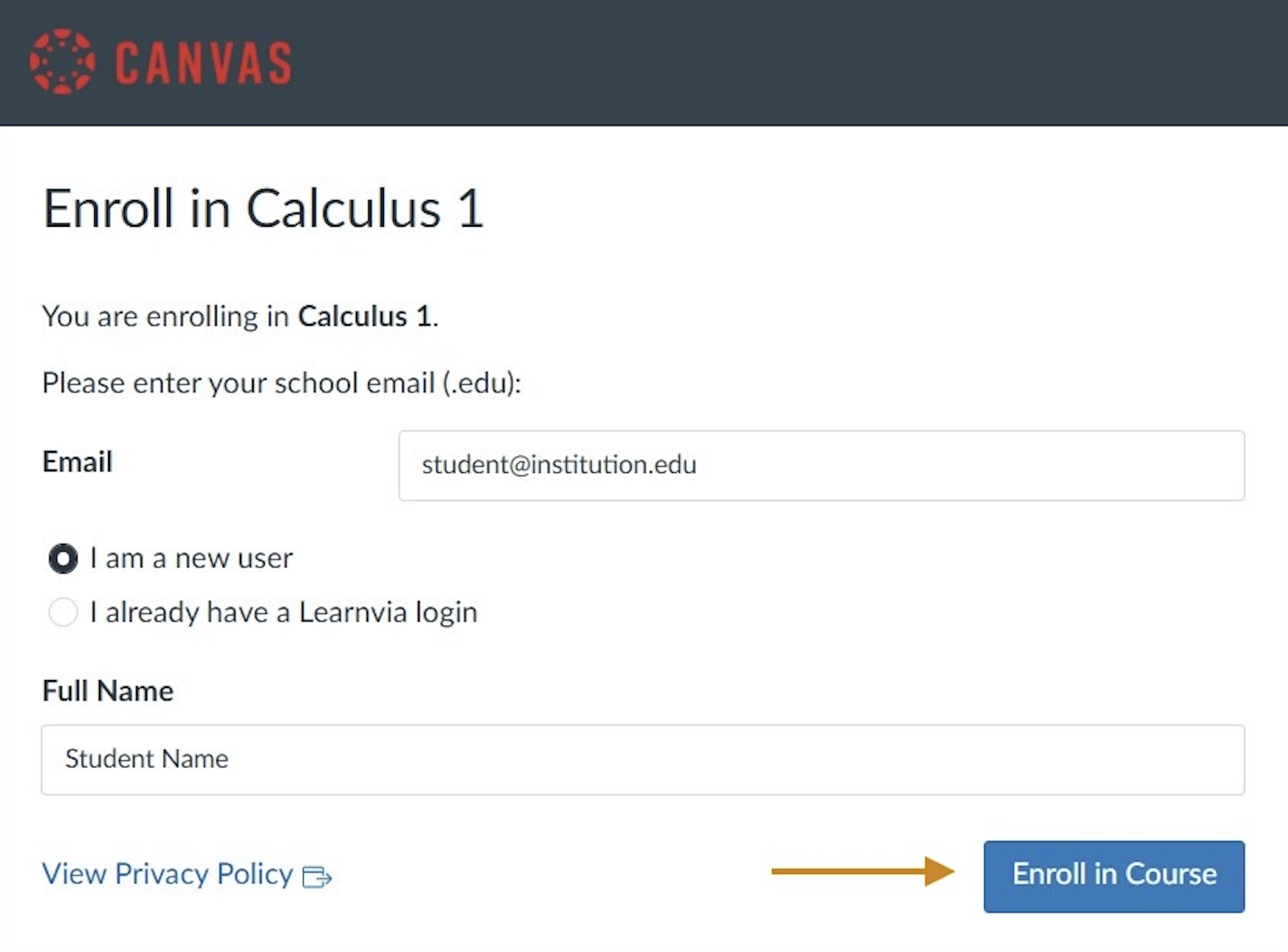
Click your instructor-provided enrollment link to self-enroll in Learnvia's Canvas.
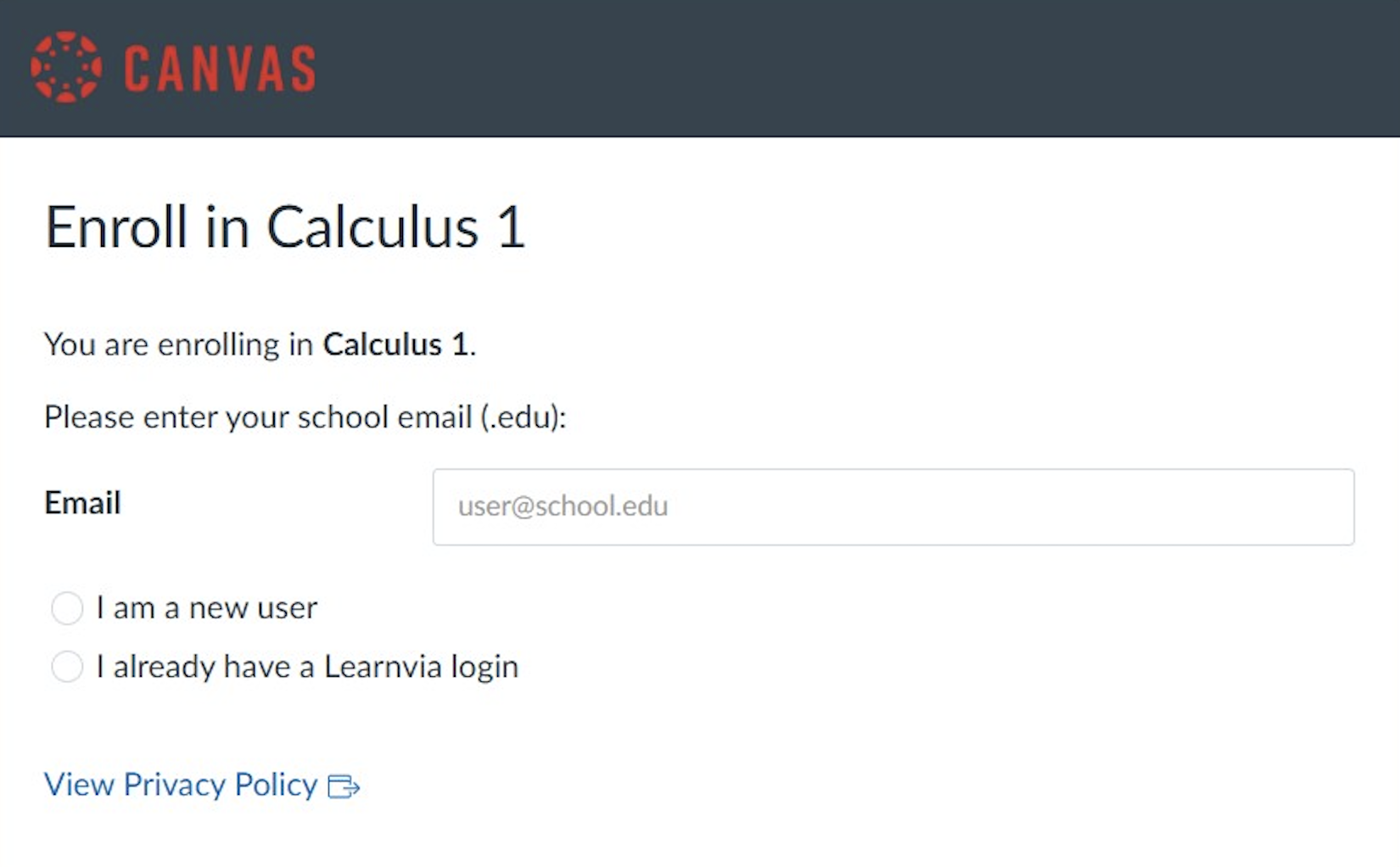
Enter your institutional email. Use the same email you use with your school's LMS (Canvas, Brightspace, Blackboard, etc.) to ensure your professor can upload your scores.
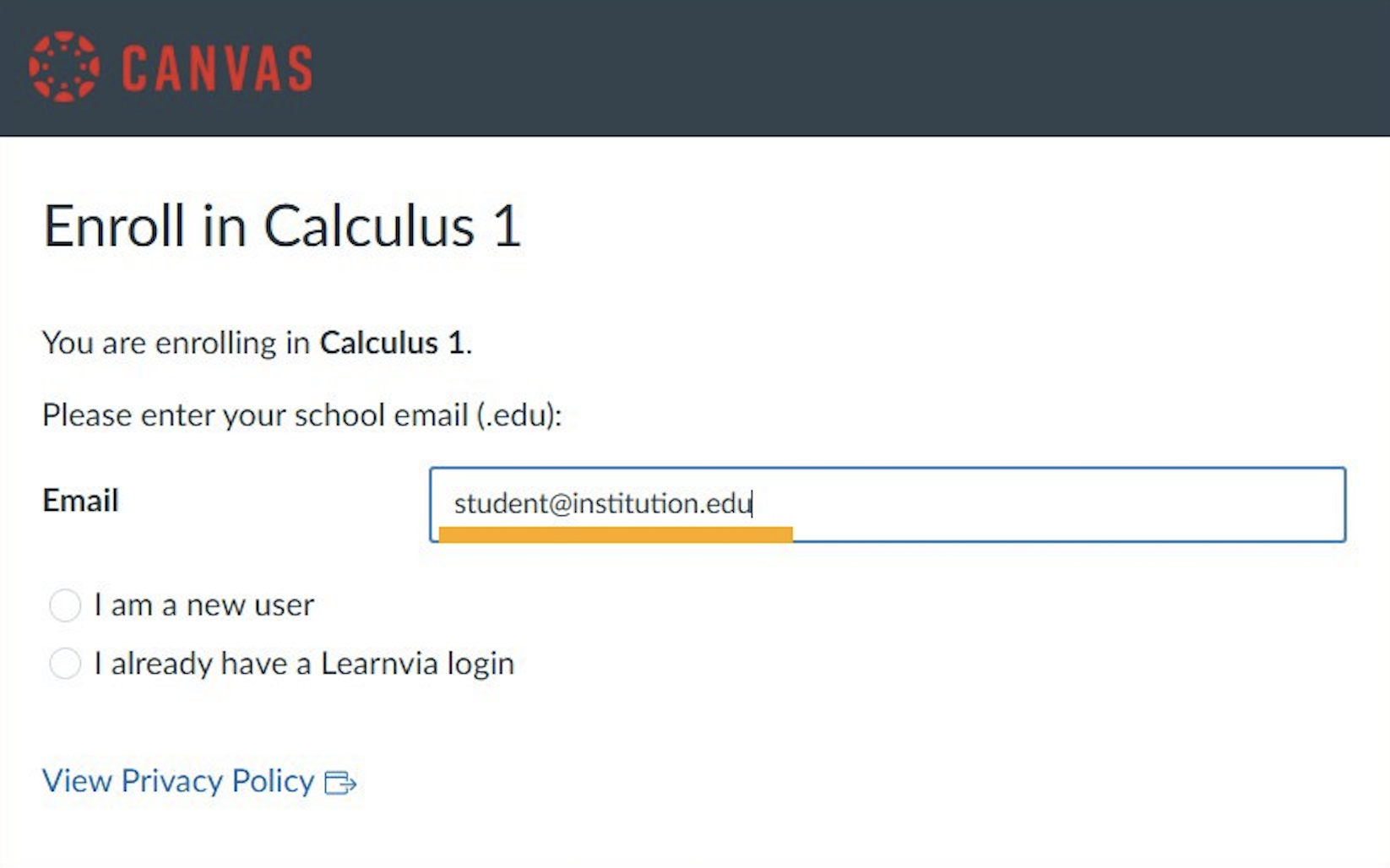
Select "I am a new user".
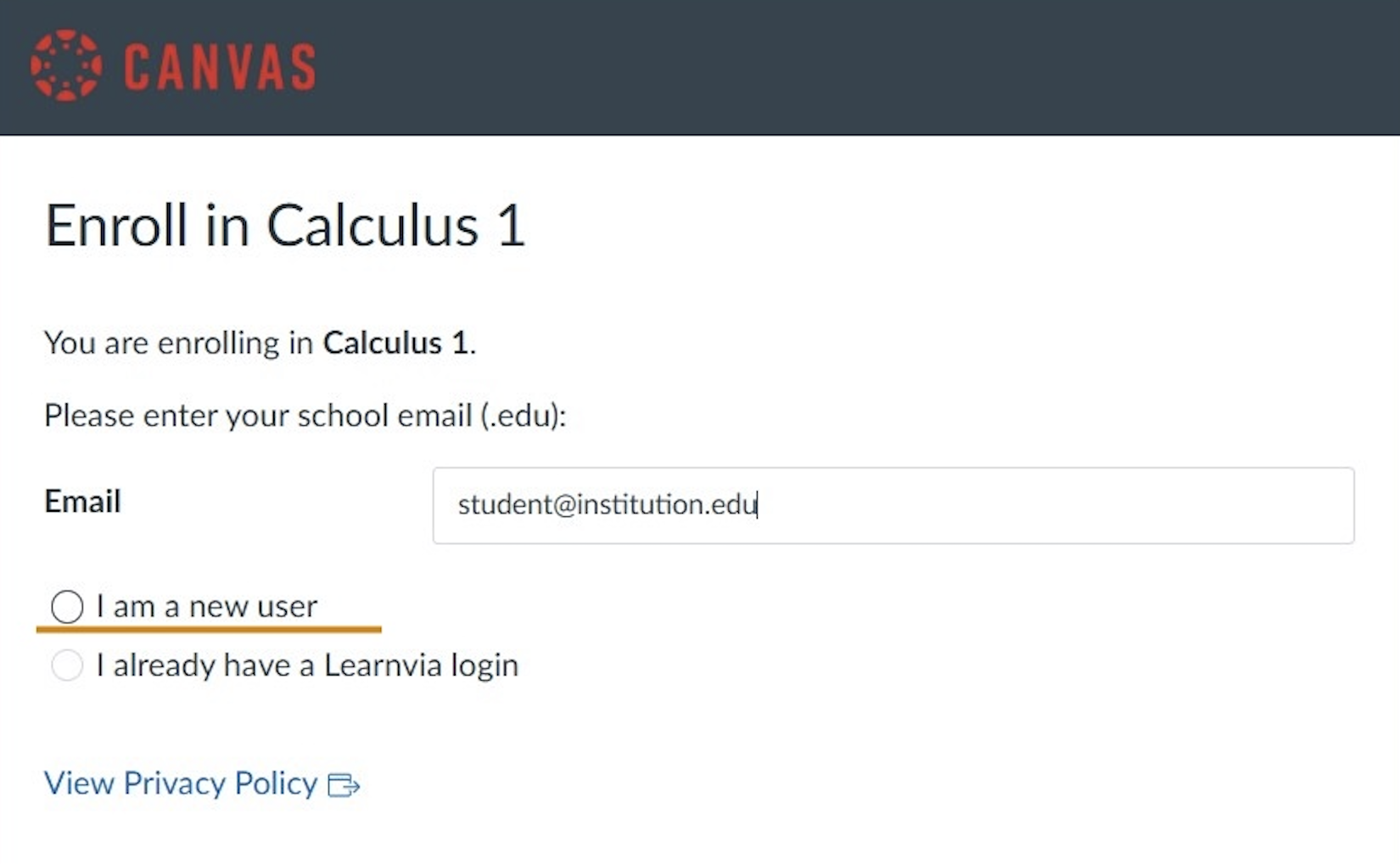
Enter your name as it appears within your school's Canvas.
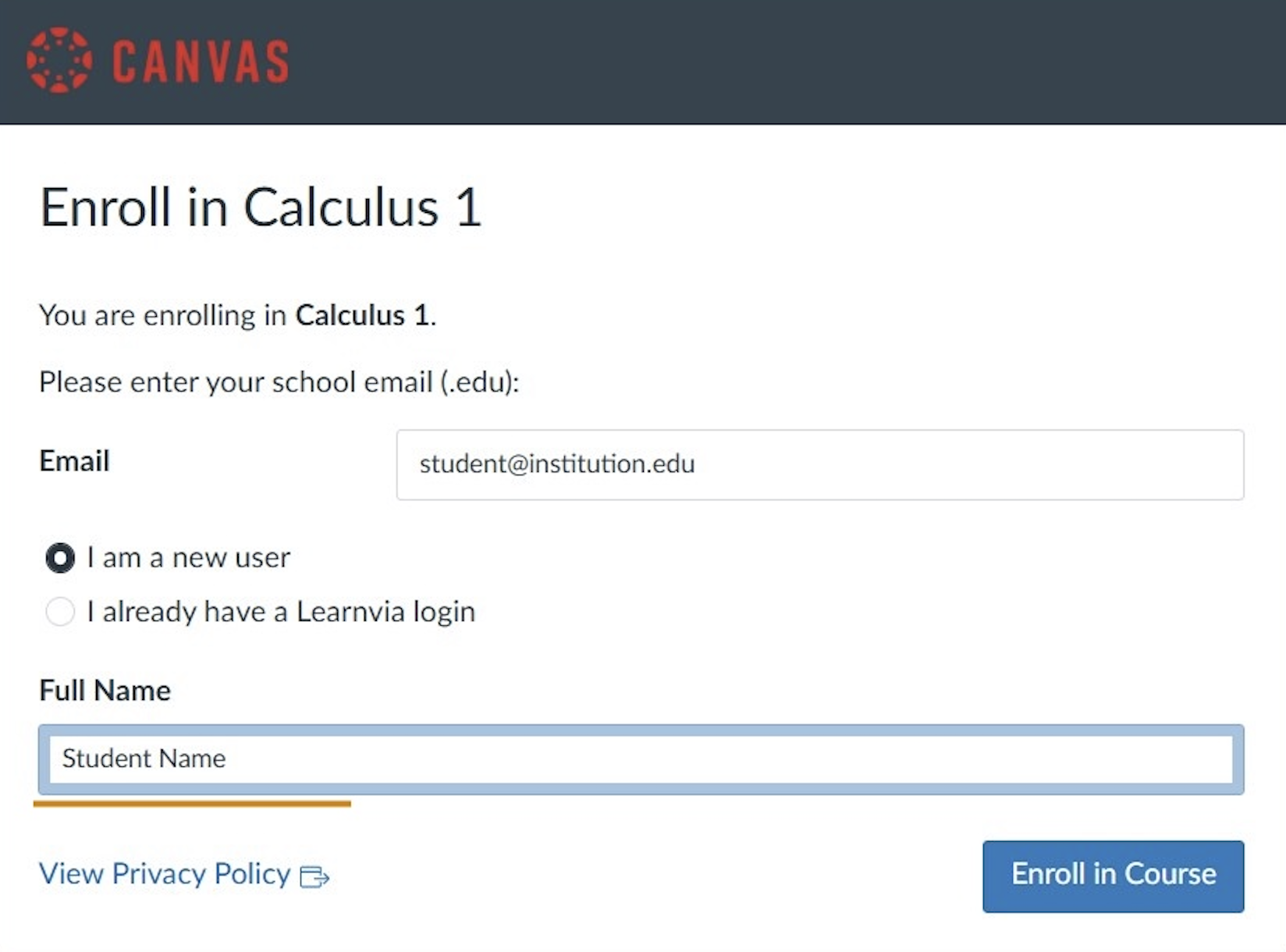
Click "Enroll in Course".
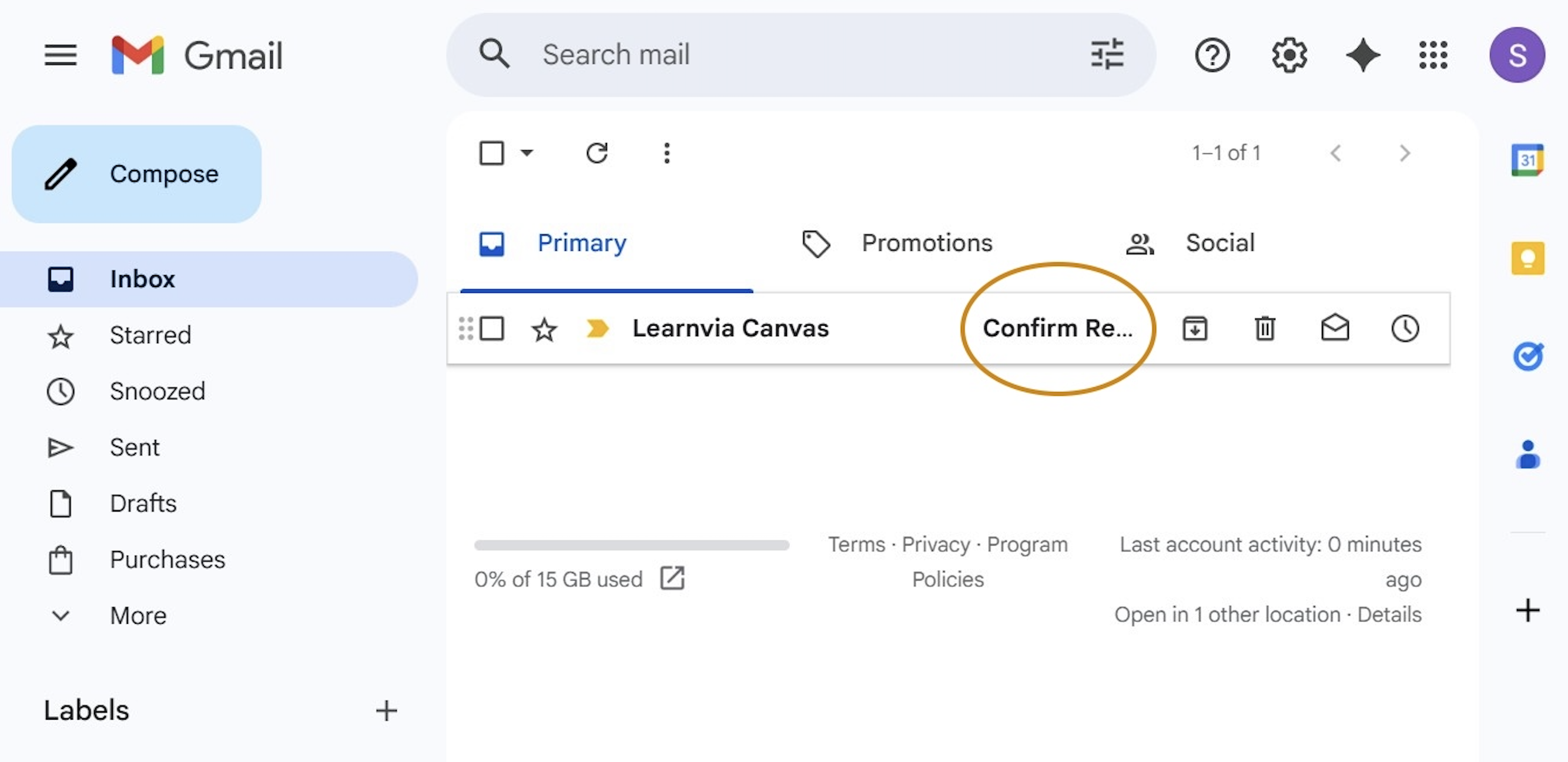
Check your email for a message from Learnvia Canvas with the subject "Confirm Registration: Canvas".
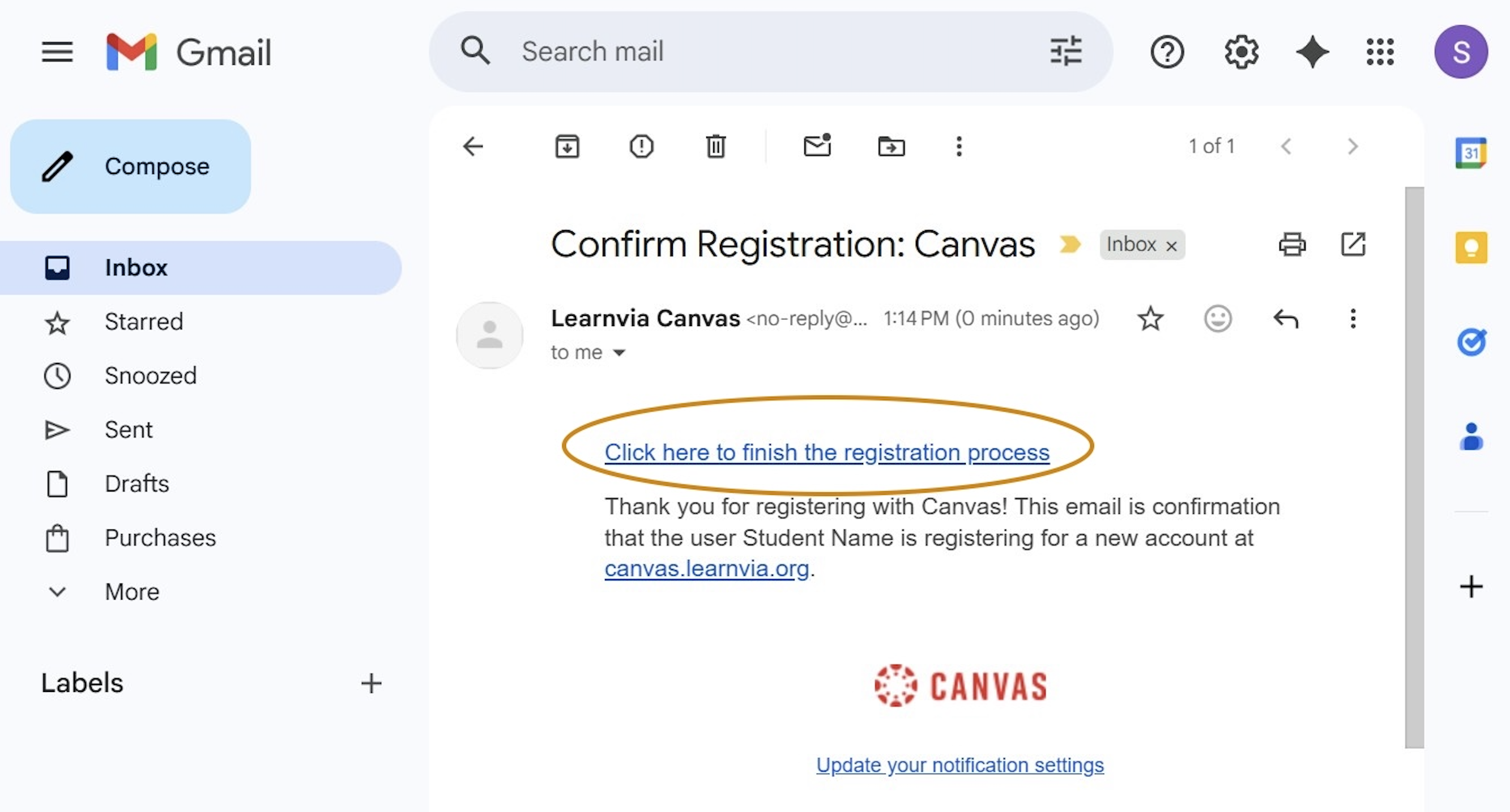
Click the link to finish the registration process.
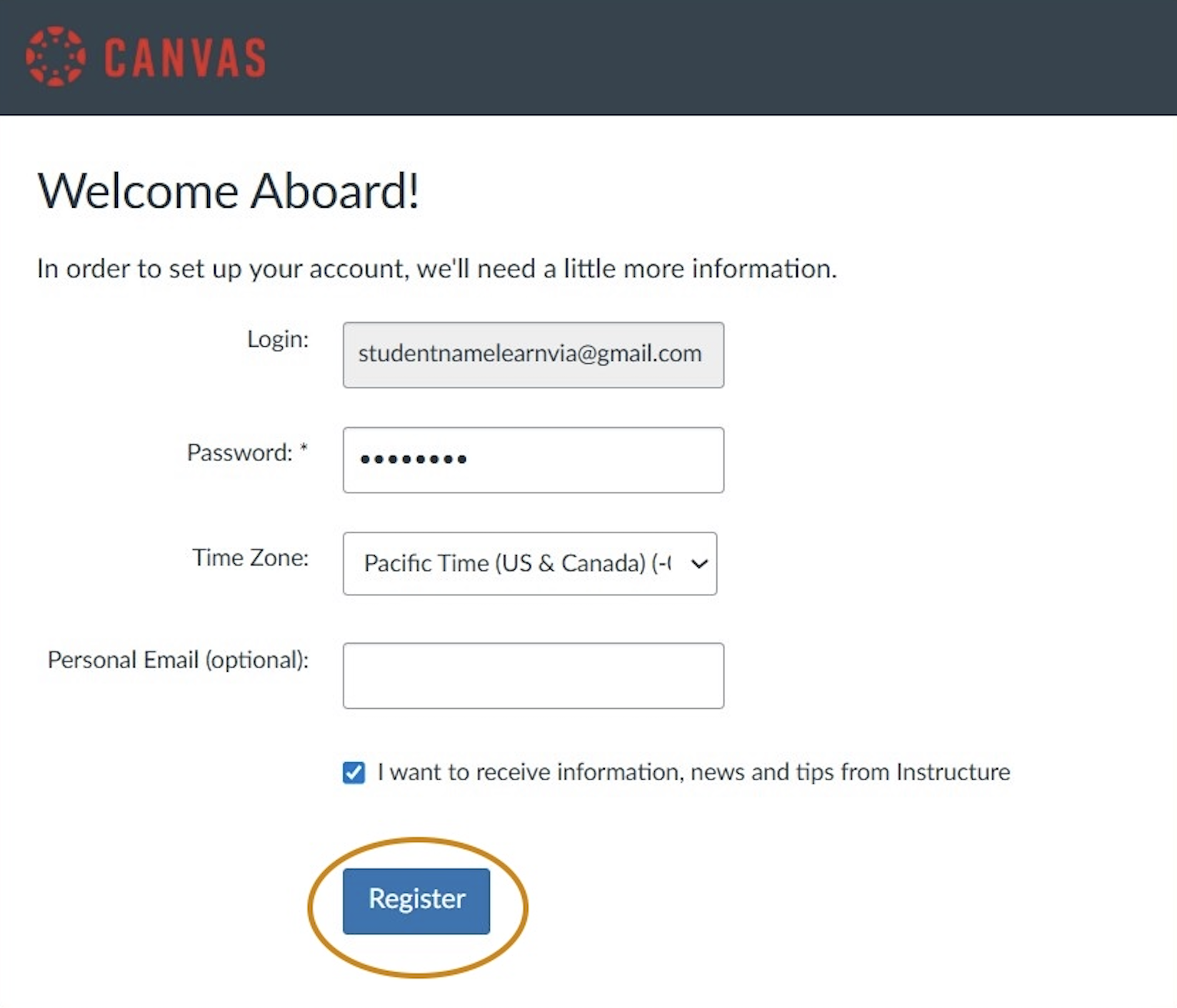
Create a password.
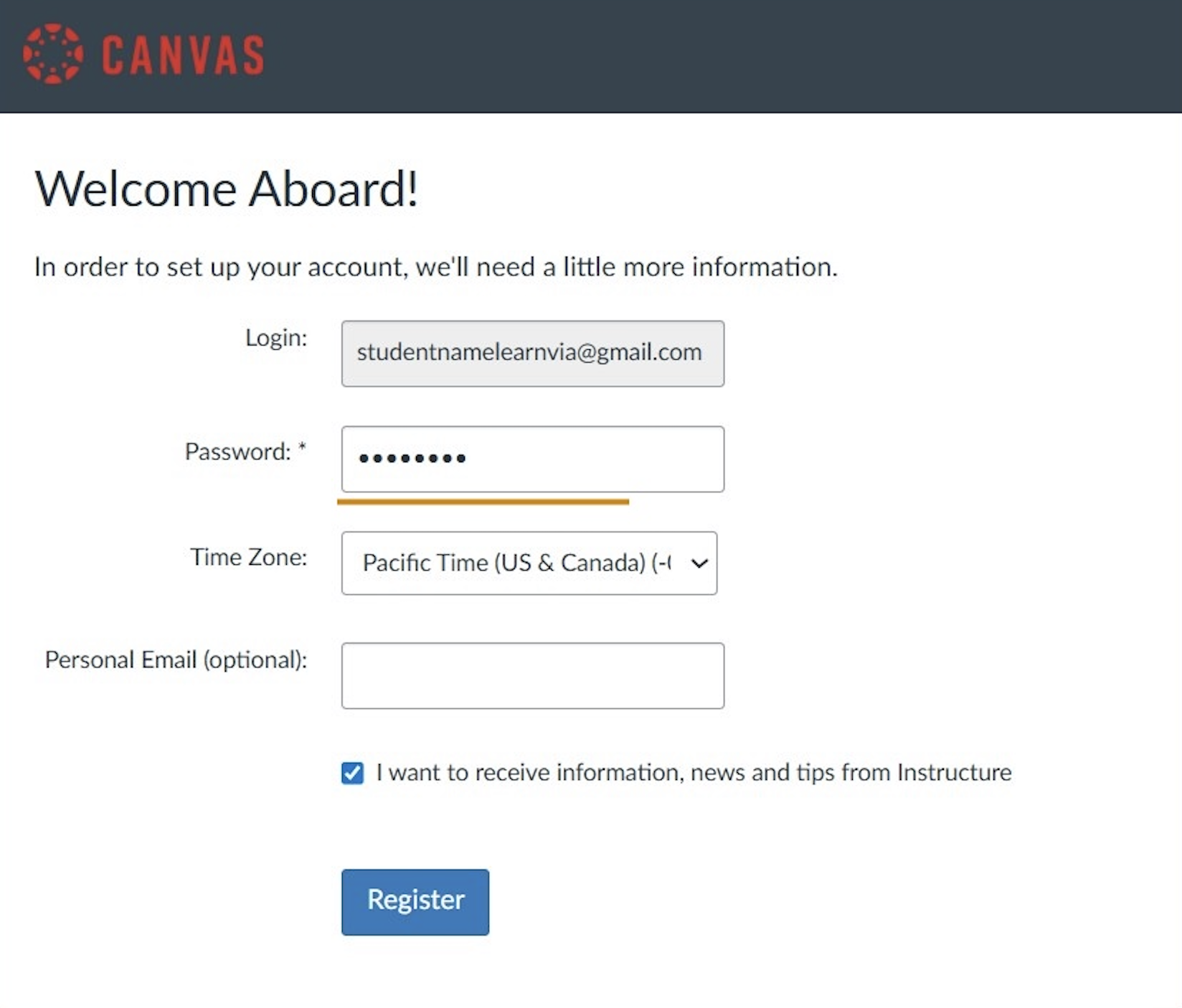
Click "Register".
Was this article helpful?
That’s Great!
Thank you for your feedback
Sorry! We couldn't be helpful
Thank you for your feedback
Feedback sent
We appreciate your effort and will try to fix the article