Learnvia courseware is built to keep things simple for you. Your instructor can group modules into chapters that match your course syllabus, and often each chapter is one week.
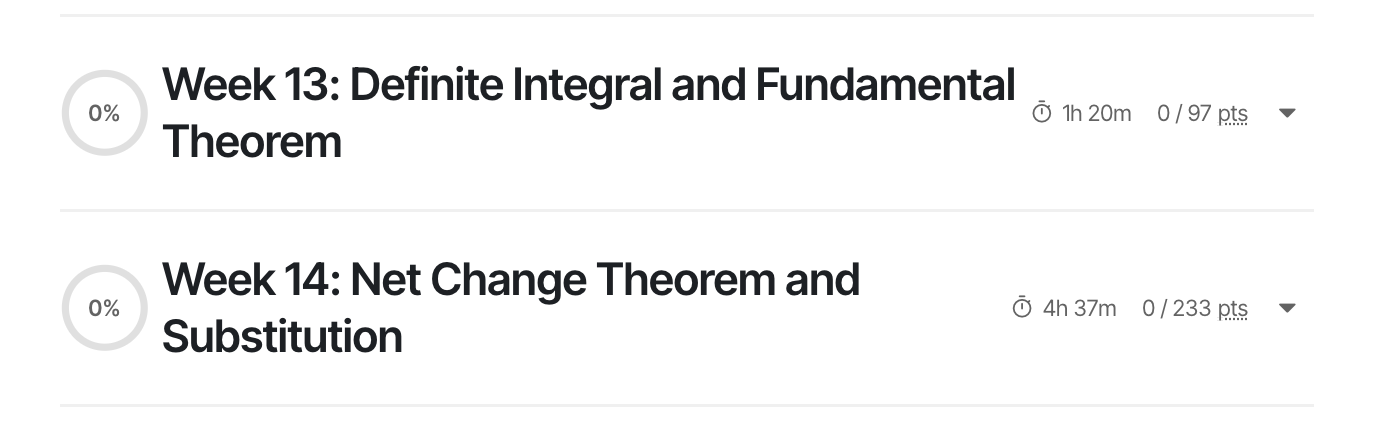
By default, you'll see your chapters and their modules organized by topic, just like a normal textbook's table of contents. Here are chapters set up by week:
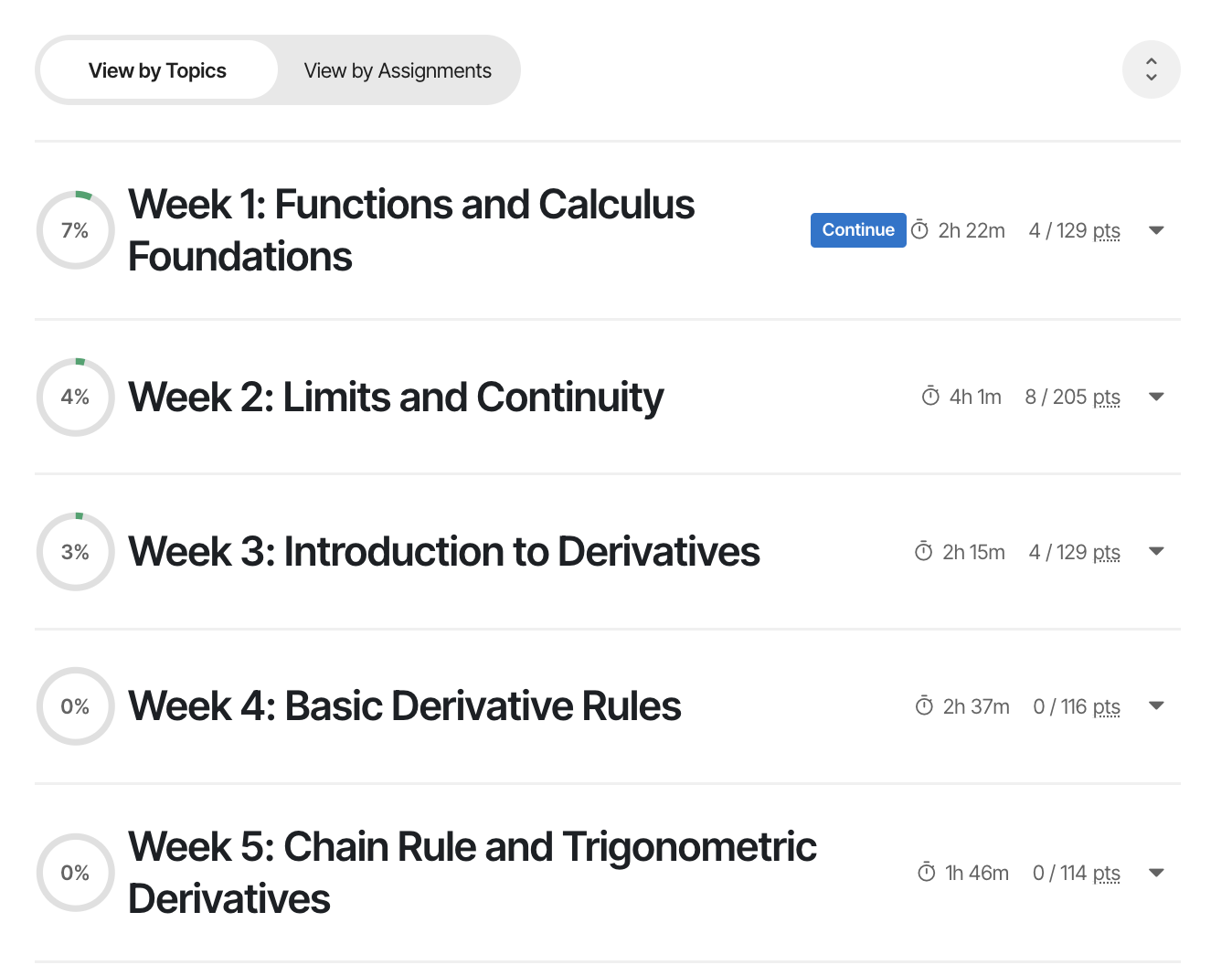
...
And here are a couple of those chapters opened up to show their modules, with each module covering a key topic:
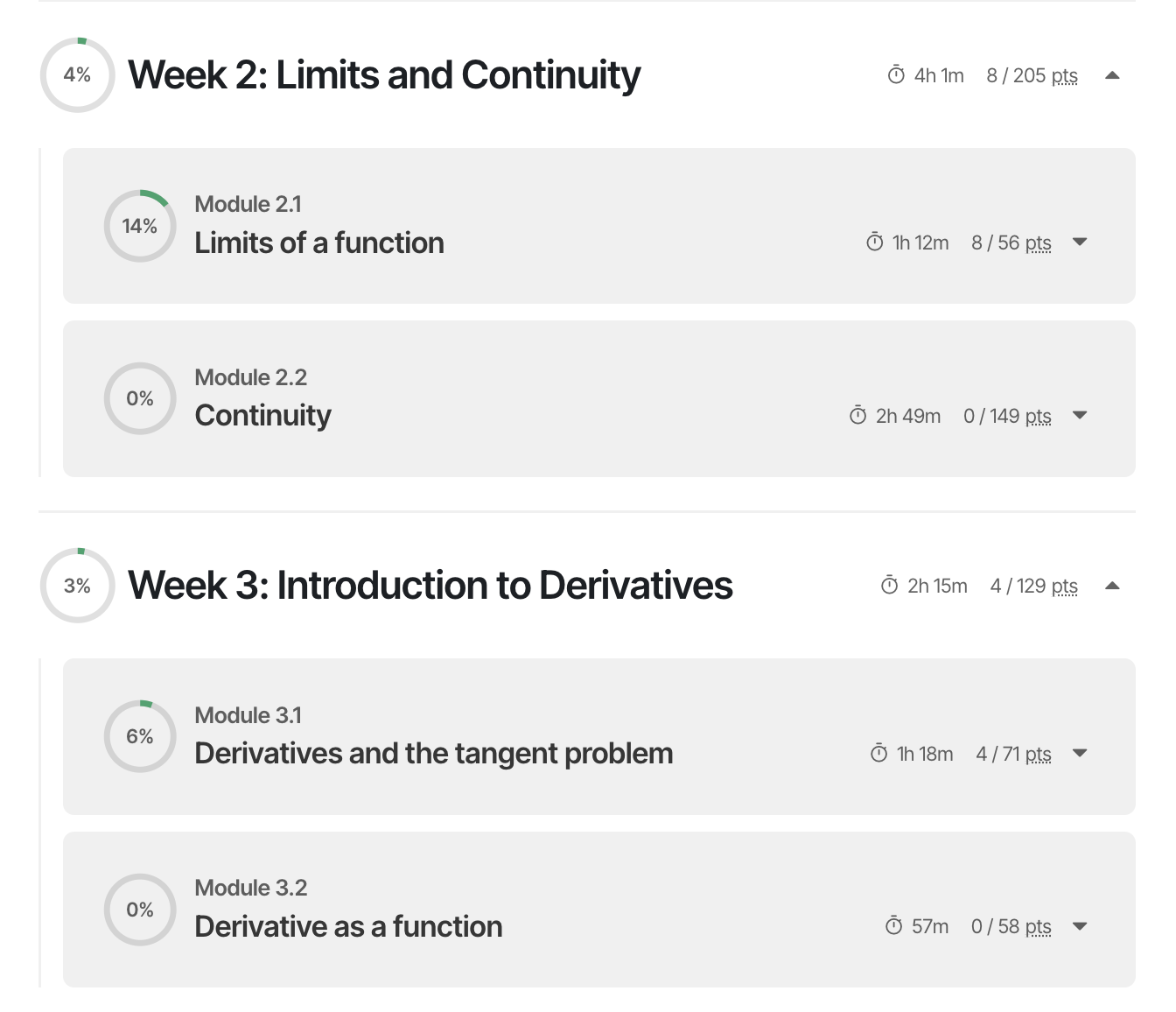
Each module contains several tasks, and each task takes about 10-15 minutes:

Notice that a module's homework task comes after that module's lesson tasks.
In traditional courseware, instructors can build assignments from any mix of exercises pulled from any chapter. That can leave you with a jumble of assignments and no clear pattern to follow.
Learnvia keeps it simpler. Your instructor sets weekly due dates for each task type in each chapter, treating each chapter as a week. Click "View by Assignments" to see each chapter split up by task type and due date:
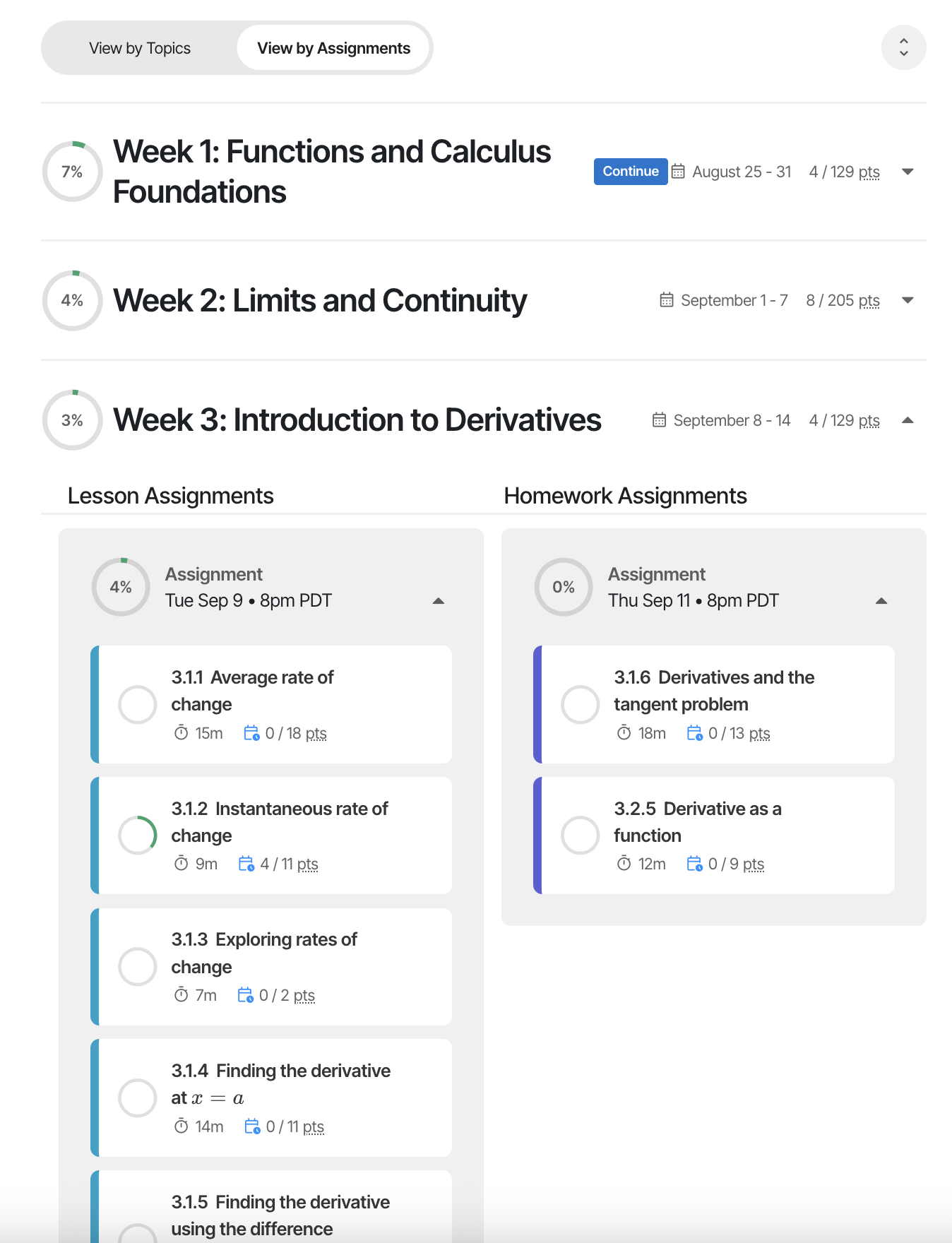
In the example above, the third chapter, "Week 3: Intro...", has all its lesson tasks due Tue Sep 9 and all its homework tasks due Thu Sep 11. You can switch to View by Assignments and work through the next tasks due that week.
When your instructor sets up each chapter as a week, they can create a repeating pattern of assignments so every week looks the same. A few clicks can set up around 30 assignments, much like a "repeating event" on a calendar. For example: every week, that chapter's lessons are due Tue and homeworks are due Thu. A few things to know:
- Your instructor can change any week's due dates for holidays, exams, and so on.
- Your instructor can split a week's lesson activities across two due dates, and the same for homeworks. (Both coming soon.)
- Quizzes are not shown here, but the same ideas apply.
- Your instructor does not have to use the one-chapter-per-week model. They can group modules into chapters and set due dates for each chapter's tasks however they like.
Why two views?
- The Topics view lets you see the concepts you're learning in their natural order.
- The Assignments view lets you focus on the next assignment without hunting for it.
One thing we chose on purpose: each module's homework task stays inside its module, instead of collecting every homework question at the end of a chapter. So if you're working on homework task 3.1.6 and want to review the related lessons, you just scroll up in the same module (3.1). In the example below, those lessons are collapsed just above the homework, and you can expand them with a click. This keeps the foundational material right there, so you don't have to jump out to other content the way you often do in traditional courseware (for example, a homework system that sends you back to the textbook). Jumping around like that can break your focus, or you might just skip it.
![Homework 3.1.6 expanded to Question set 3.1.6.1, with the related lessons 3.1.4 and 3.1.5 shown collapsed just above it. The question reads "Using the graph of f, the average rate of change of f over [0,2] is ___" with a graph of a downward parabola f(x).](https://s3.amazonaws.com/cdn.freshdesk.com/data/helpdesk/attachments/production/158001603698/original/tLLLih-wPAklUyNpO25oXdhDzuaQzPxW1w.png?1756538653)
In short, instead of a fixed table of contents with a syllabus and assignments that jump all over it, Learnvia lets your instructor shape the content to match the syllabus first. Then the content matches your syllabus, and each week's assignments are simply the tasks in that week's content. Students tell us they much prefer this straightforward pattern. It makes what a course expects clearer, eases anxiety, helps you plan, and helps you miss fewer deadlines.
Was this article helpful?
That’s Great!
Thank you for your feedback
Sorry! We couldn't be helpful
Thank you for your feedback
Feedback sent
We appreciate your effort and will try to fix the article