Content

Modified on Wed, 8 Jul at 10:00 AM

This guide walks through navigating the course content from both a student and instructor perspective.


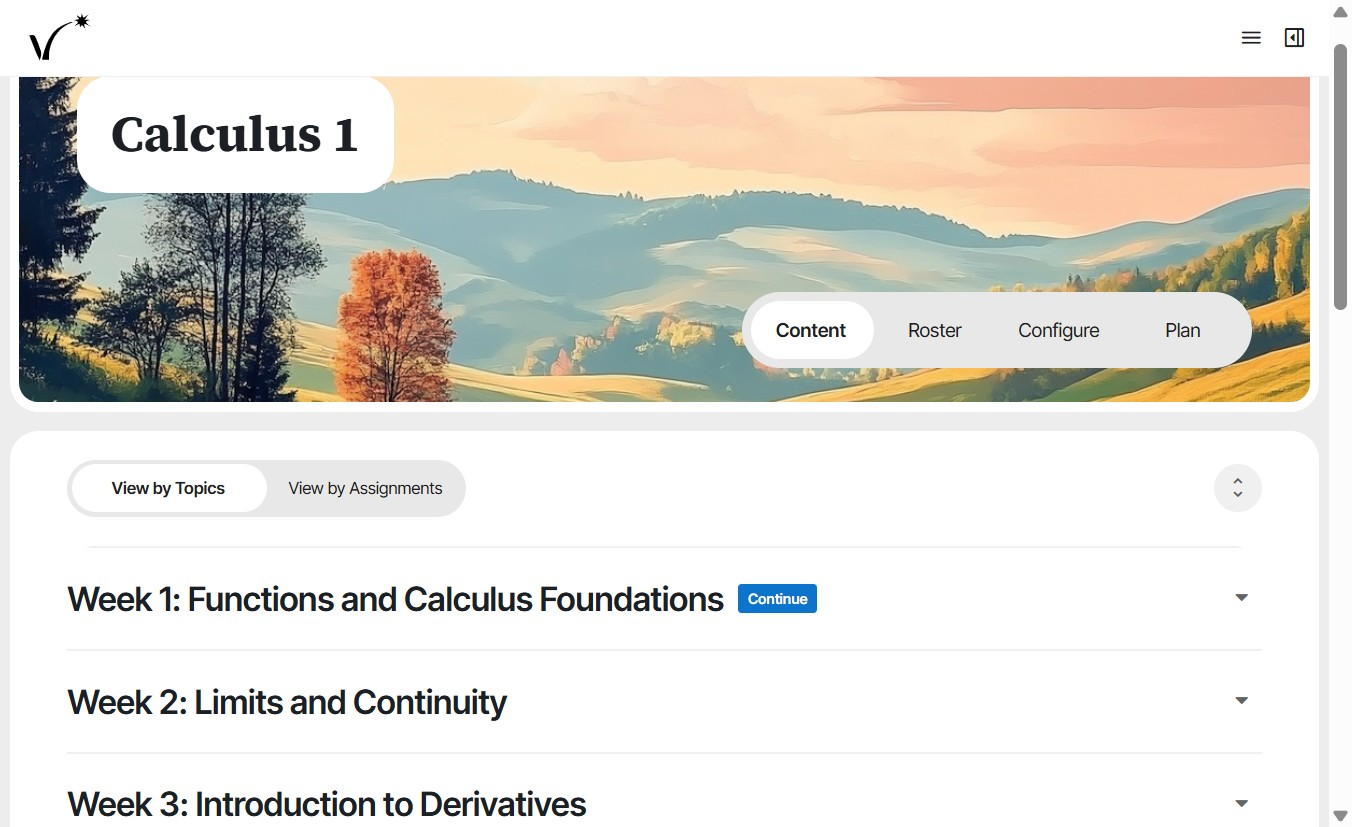
  1. Click Content to view course content. In the topic view, view the modules in each week. Students will see the same view.Calculus 1 course page with the Content tab selected and the View by Topics tab active, listing collapsed weeks such as Week 1: Functions and Calculus Foundations.
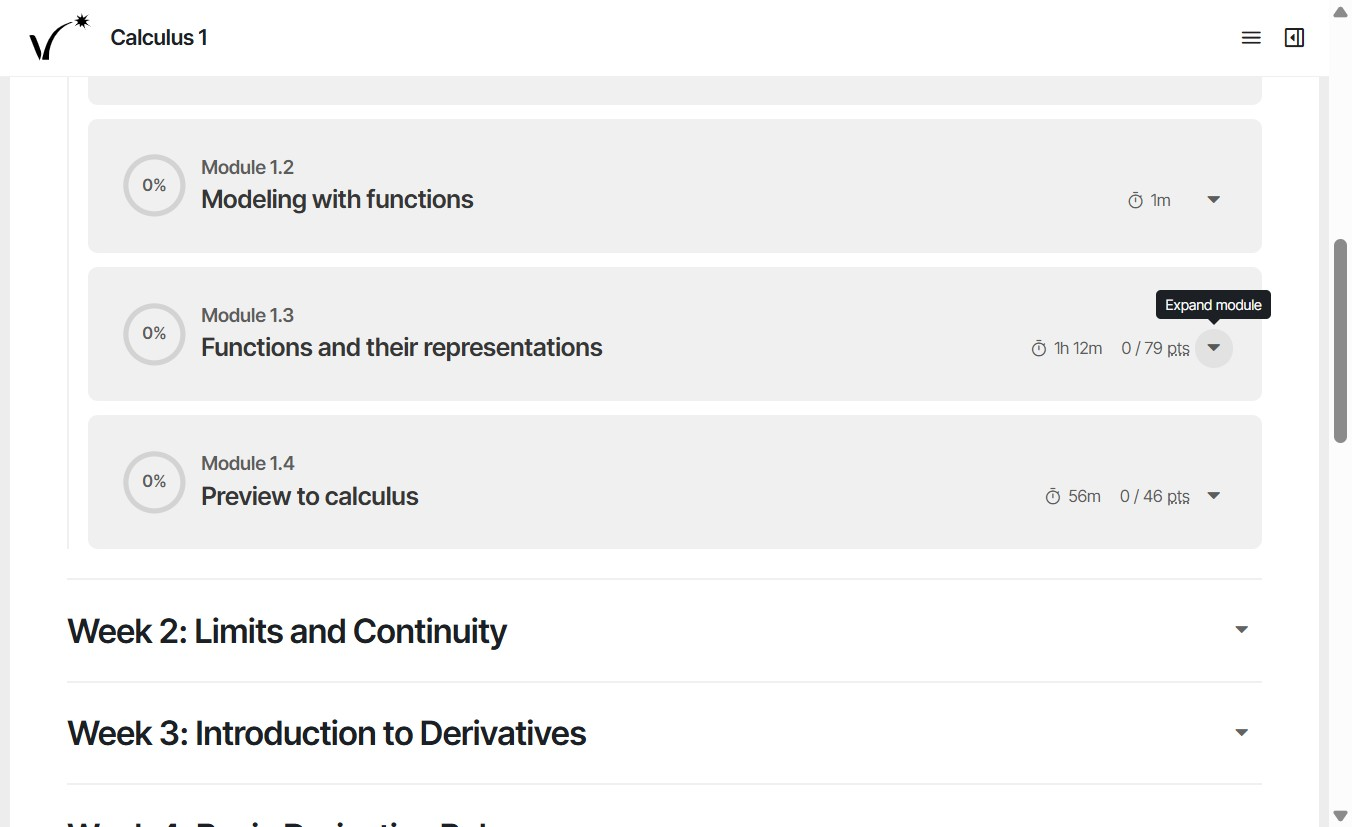
  2. Expand a week to view its modules. Expand a module to view its activities (lessons, homeworks, and quizzes).Expanded week listing Modules 1.2 through 1.4, each showing completion percentage, duration, and points, with the Expand module tooltip on Module 1.3's chevron button.
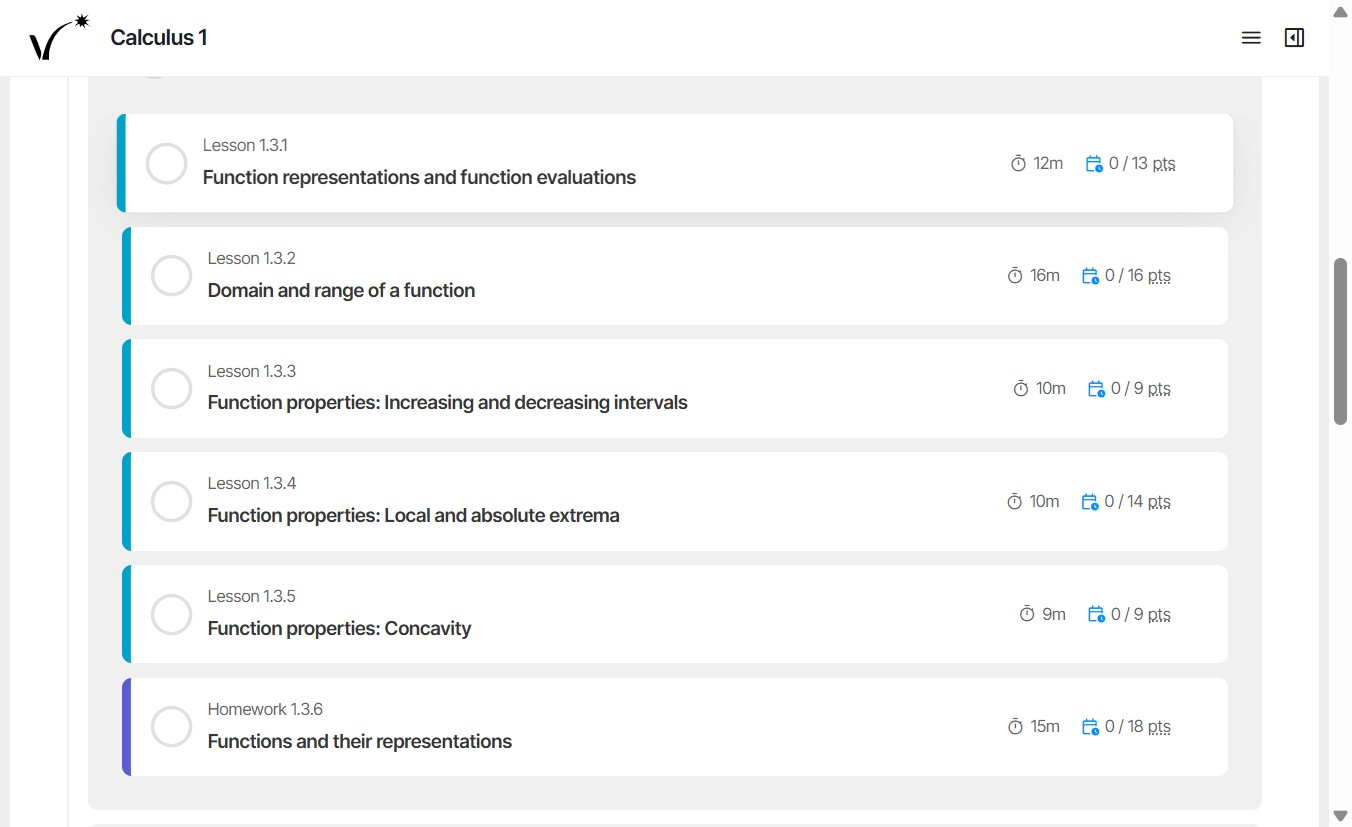
  3. Click an activity to display its full content.Expanded Module 1.3 showing its activities, including Lessons 1.3.1 through 1.3.5 and Homework 1.3.6, each with duration and points.
  4. Click the expand button to show detailed lesson parts. Click to collapse lesson parts.
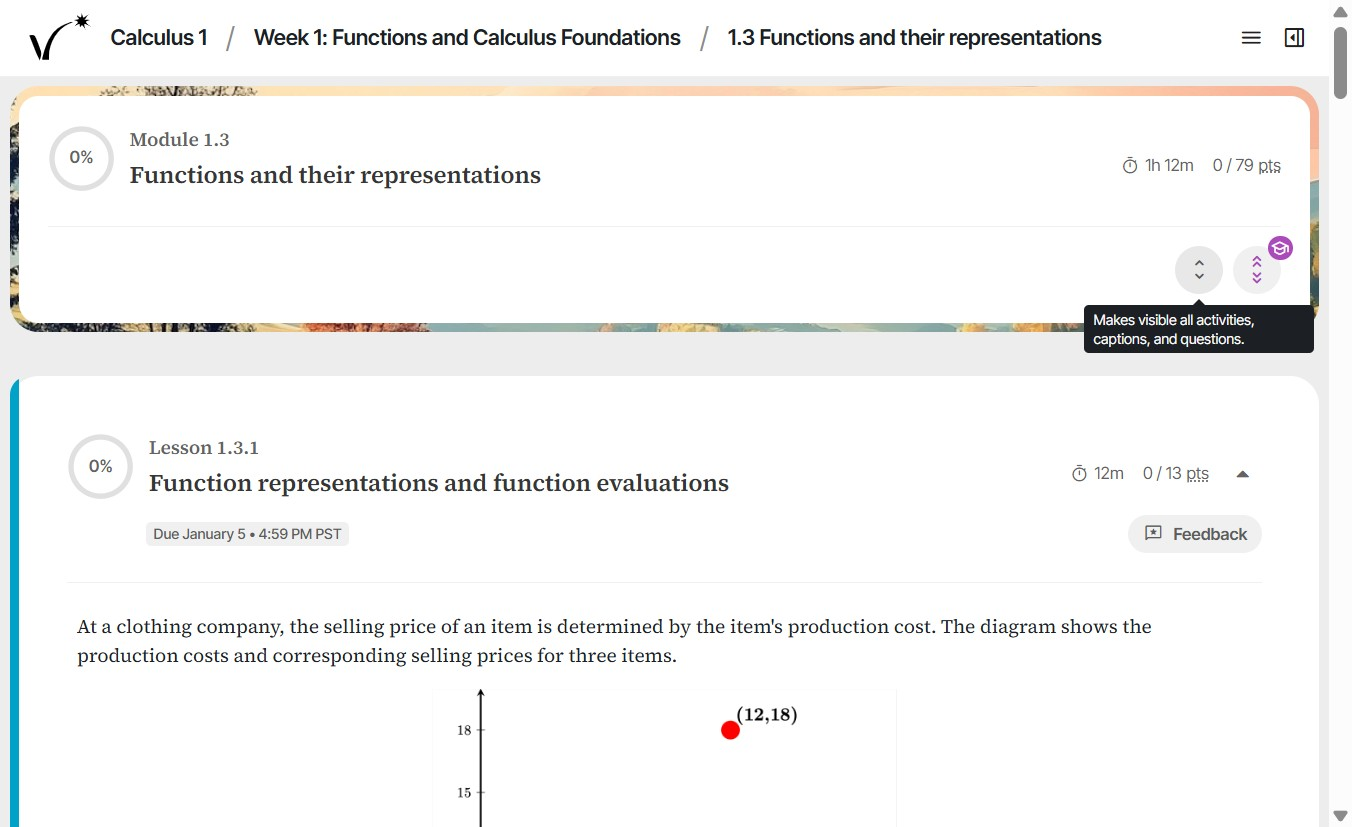
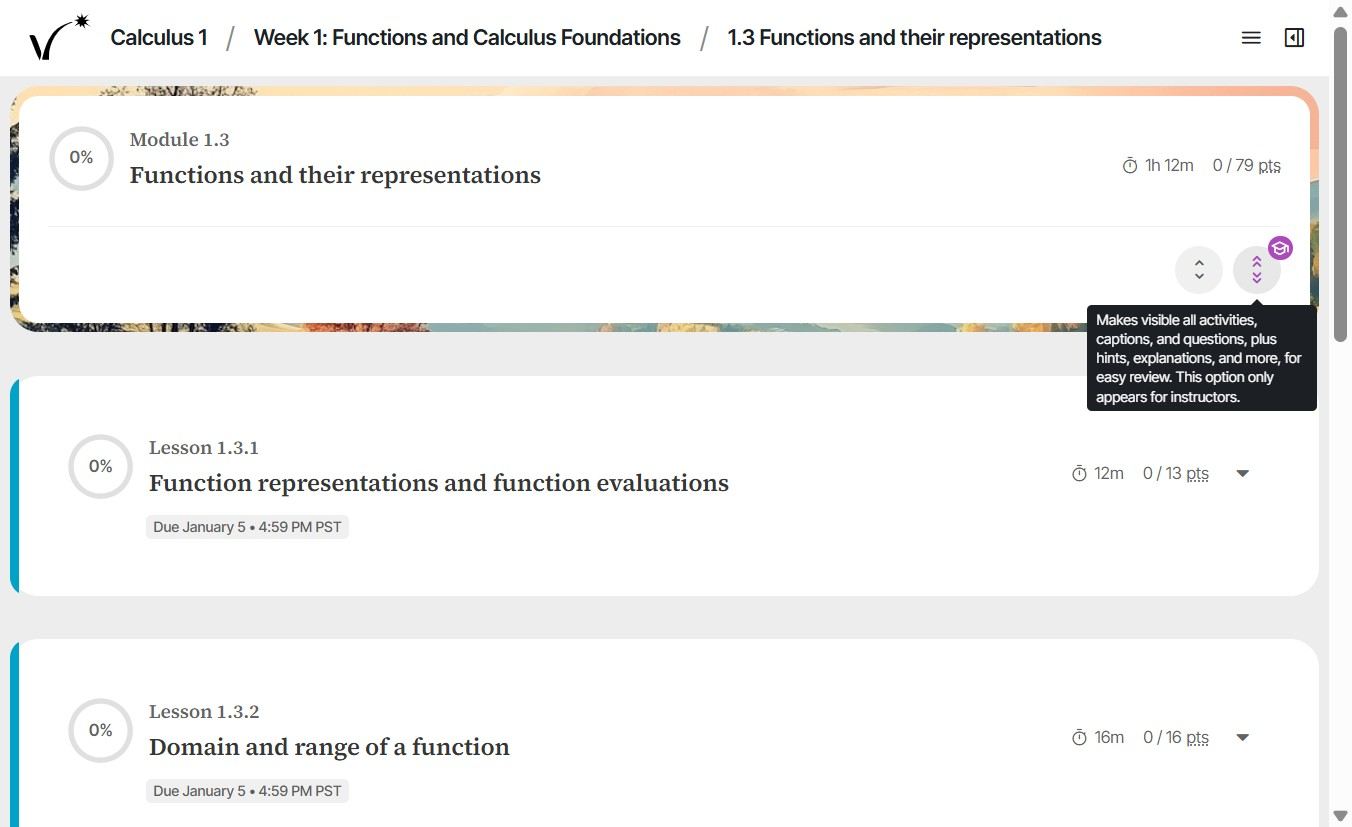
  5. Open activity view for Module 1.3 with the single-chevron expand button showing the tooltip Makes visible all activities, captions, and questions.
  6. Click the instructor-only toggle to reveal hints, answers, and explanations. This view is hidden from students.The double-chevron instructor-only toggle showing the tooltip that it reveals all activities, captions, questions, hints, and explanations for review, and appears only for instructors.
  7. From the table of contents, switch to assignment view to see all course content organized by assignment.
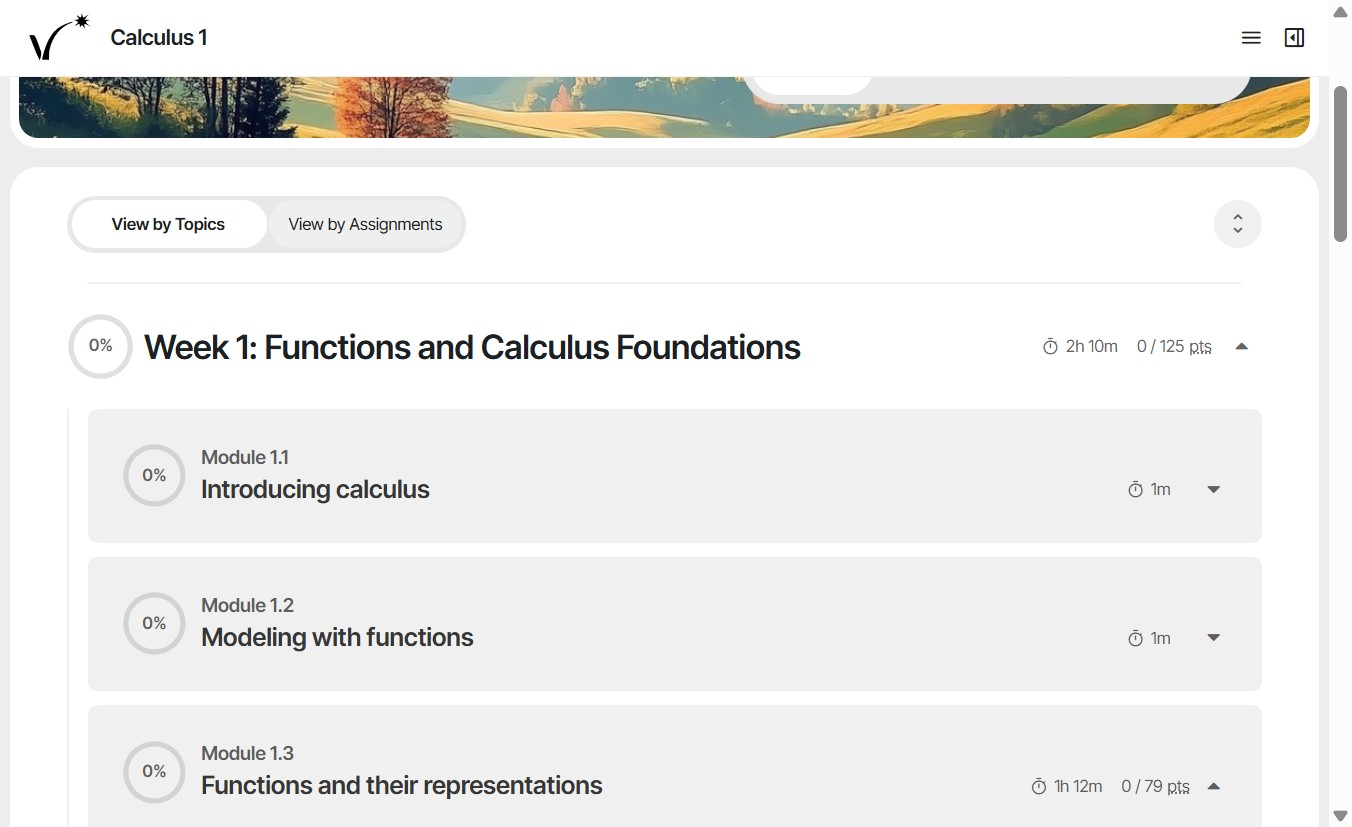
View by Topics with Week 1 expanded, listing Modules 1.1 through 1.3 with completion percentage, duration, and points for each.

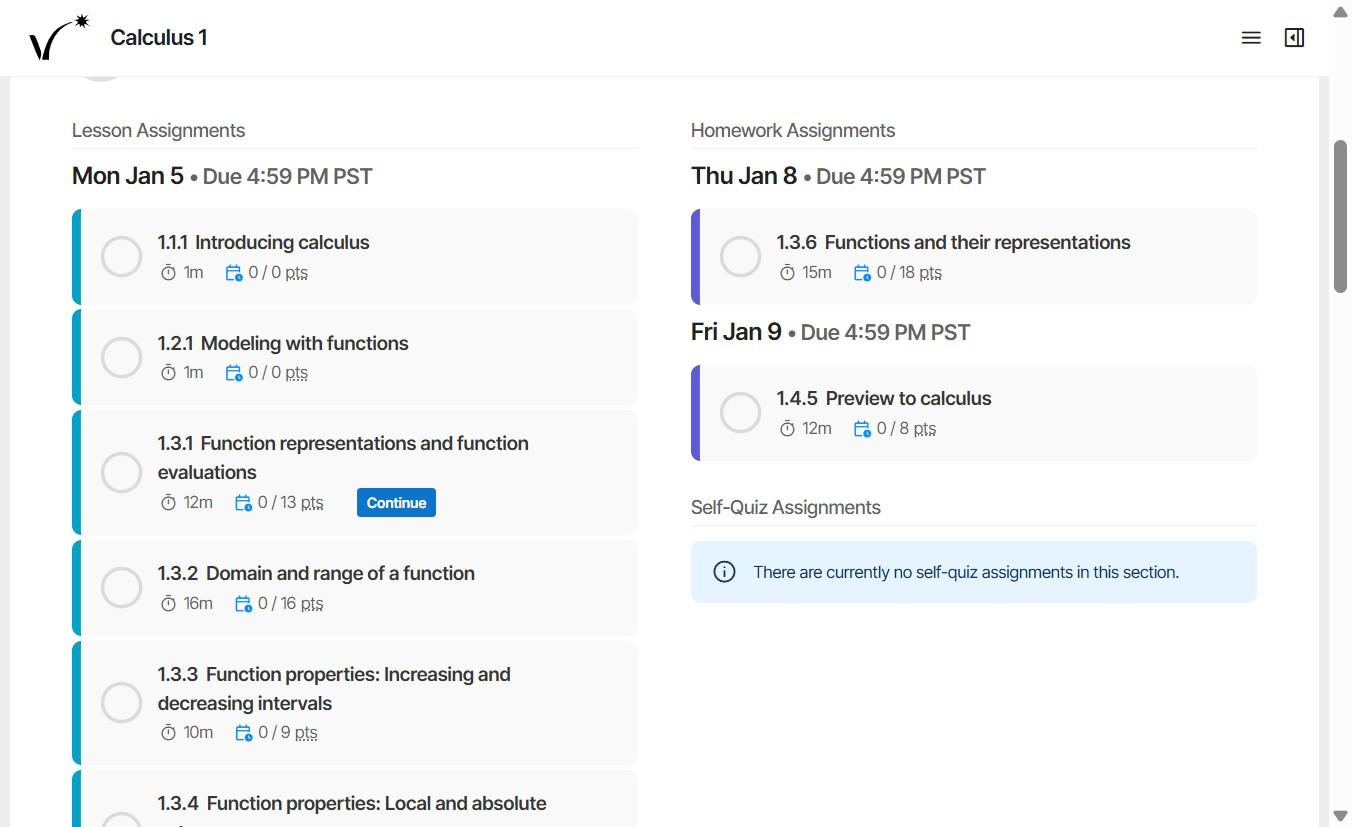
View by Assignments layout grouping course content into Lesson Assignments, Homework Assignments, and Self-Quiz Assignments columns organized by due date.


Was this article helpful?

That’s Great!

Thank you for your feedback

Sorry! We couldn't be helpful

Thank you for your feedback

Let us know how can we improve this article!

Select at least one of the reasons
CAPTCHA verification is required.

Feedback sent

We appreciate your effort and will try to fix the article