You can provide feedback through multiple access points.
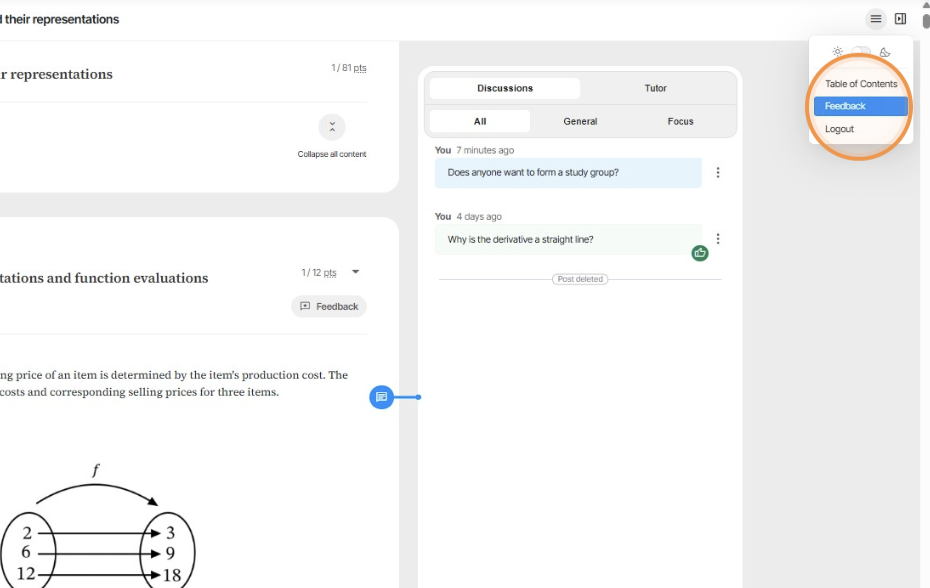
For general platform or course feedback, click the button in the top-right hamburger menu.
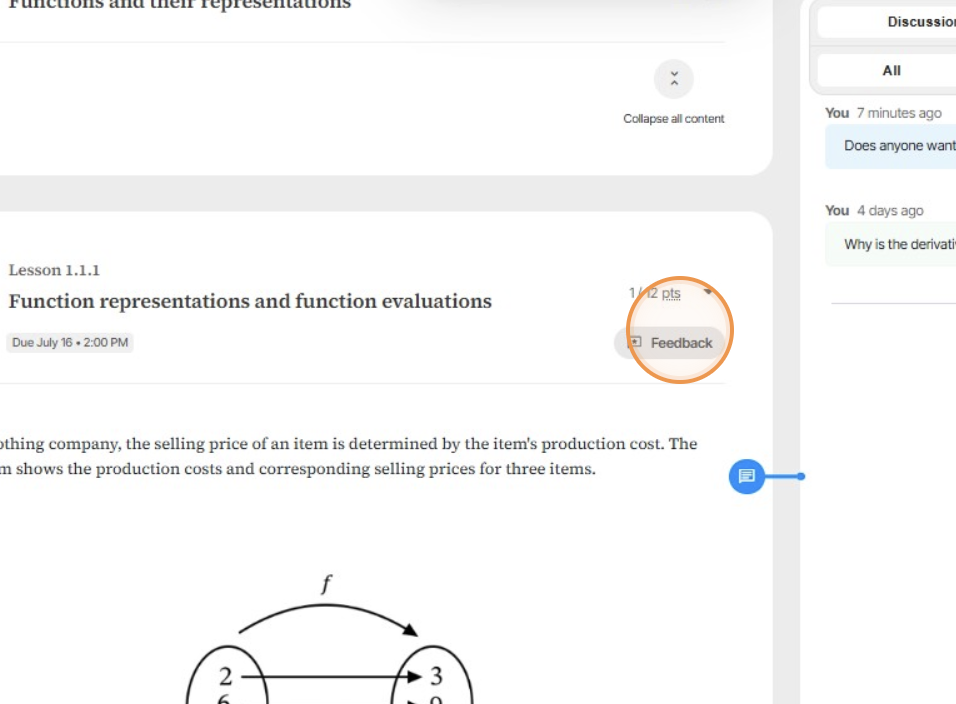
To provide lesson-specific feedback, use the feedback button within the lesson view.
Email support@learnvia.org for any additional support needs.
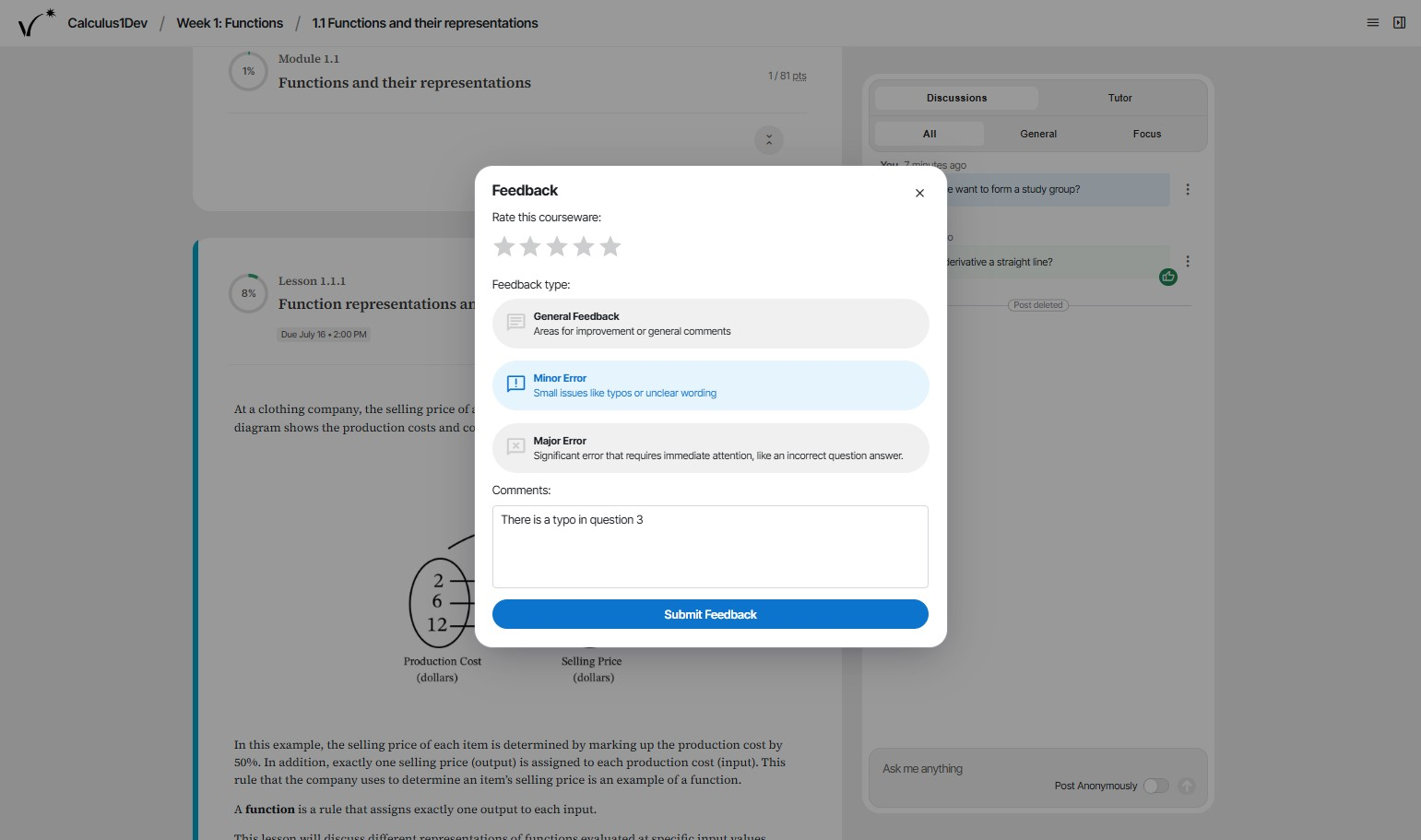
Feedback is treated with great attention at Learnvia, which aims to continually improve its courseware. Feedback buttons are embedded throughout to make submitting feedback quick and easy for users. Users categorize feedback to help prioritize responses; categories are:
- General: Use this to provide general comments or suggestions, like pointing out a particularly good activity or something that could be improved (but is not an error).
- Minor error: Use this to report small typos or other errors that don't prevent students from completing work but should be fixed. Staff aims to correct within 1-2 weeks (often faster).
- Major error: Use this to notify staff of serious errors that hamper students from completing their work or that provide incorrect info. Staff aims to correct within 1-2 days.
Note: You don't have to be sure of an error! If you think an item is an error, let us know. Even if the item turns out to be correct, if we find a lot of users think an item is an error, we'll improve the item.
Error feedback becomes a support ticket, entering our support ticket queue and processed by our in-house support staff. Our team aims to continuously improve the content, so please use the feedback buttons generously.
Was this article helpful?
That’s Great!
Thank you for your feedback
Sorry! We couldn't be helpful
Thank you for your feedback
Feedback sent
We appreciate your effort and will try to fix the article