FOR STUDENTS
Who this is for: students.
Your Learnvia course home can show the same work in two ways. Use the switch at the top of the table of contents: Arrange by Topics or Arrange by Due Dates. Learnvia remembers your choice in that browser.
Arrange by Topics
This is the default view. You see your chapters in order, like a textbook's table of contents. Your instructor arranges the chapters to match the syllabus, and often each chapter is one week. Each chapter shows your progress and about how long its work takes. The Resume button takes you back to where you left off.
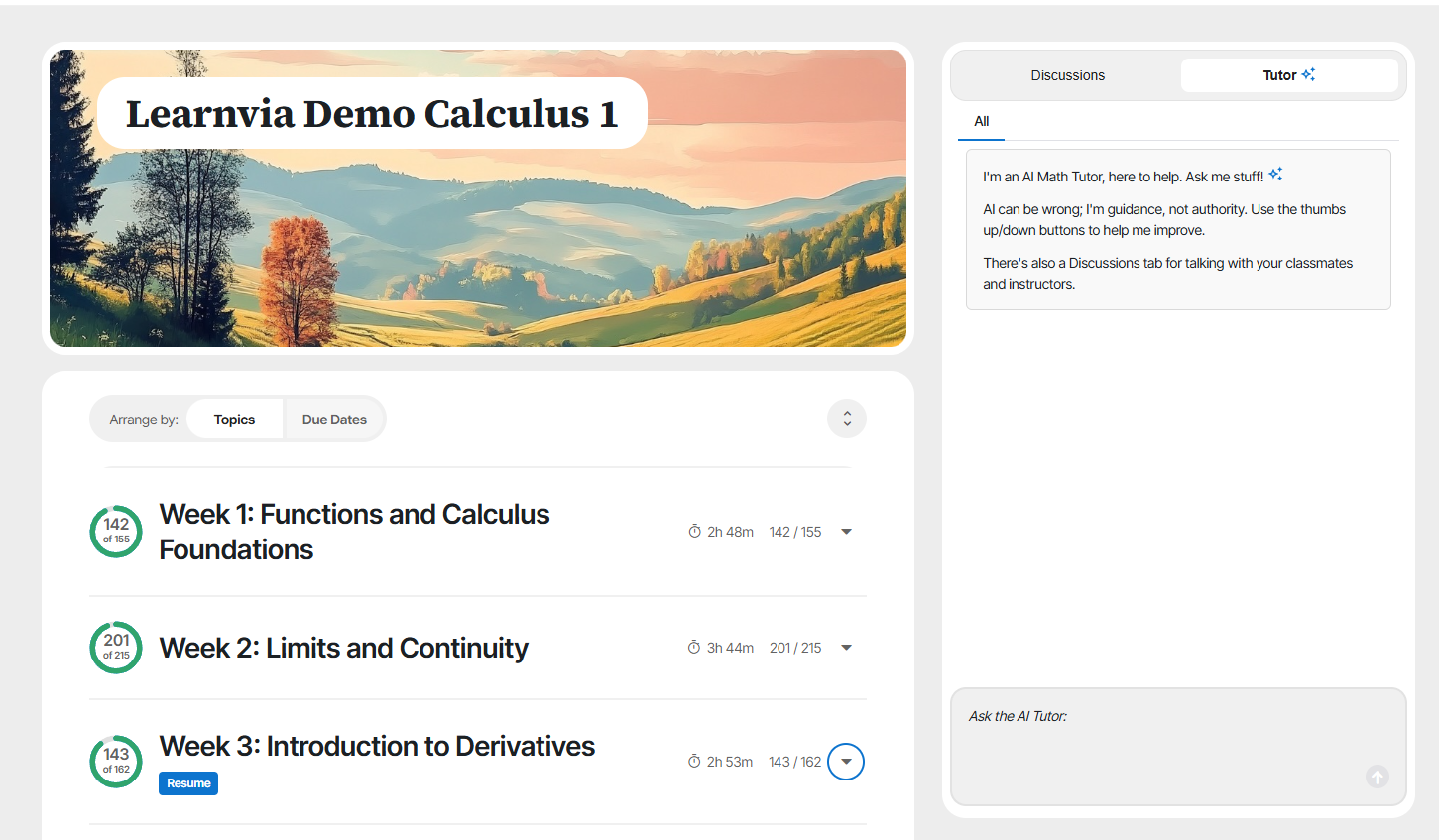
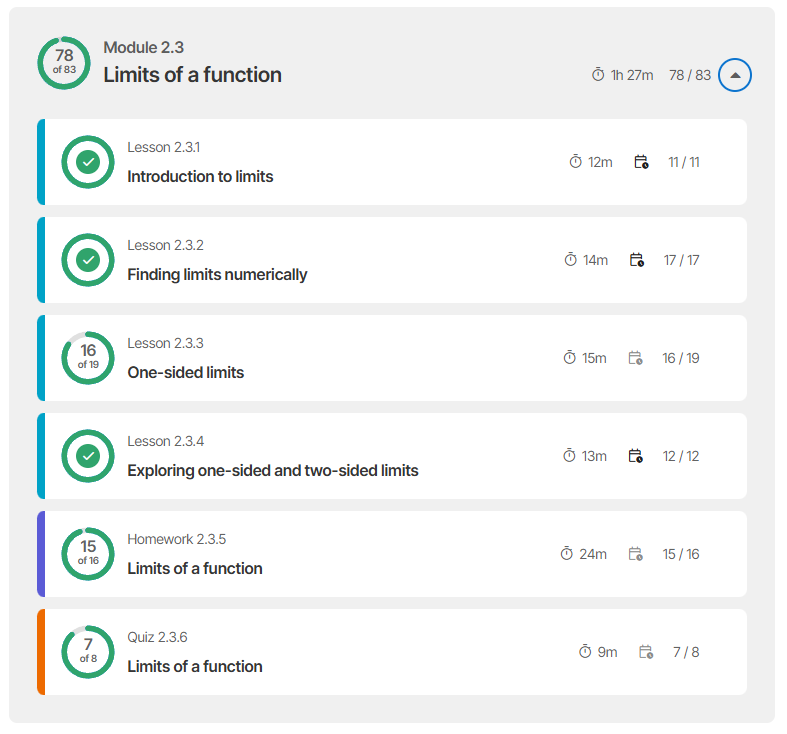
Open a chapter to see its modules, and open a module to see its tasks. Each task takes about 10 to 15 minutes. A module's lessons come first, then its homework, then its self-quiz (labeled Quiz).
Arrange by Due Dates
This view groups your work by when it is due. Each week shows its dates. Open a week to see its lessons, homework, and self-quizzes with the due date and time for each, so you can work down the list of what is due next.
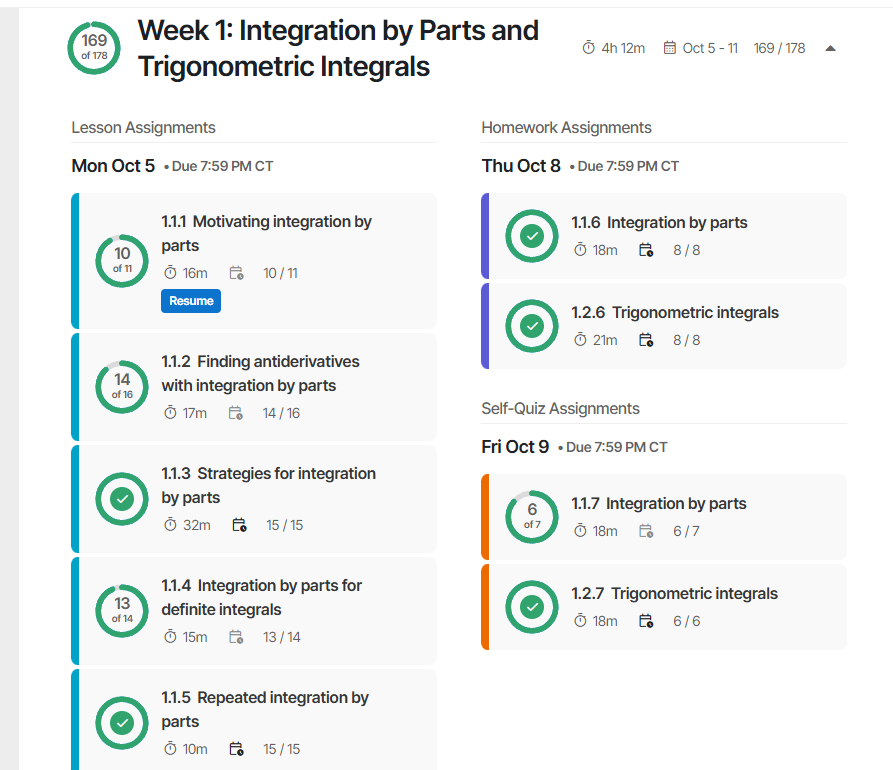
Your instructor sets these due dates. A week can have more than one due date for the same kind of work, for example lessons due Monday and Wednesday. If your instructor changes a date, you see the new date right away. If your instructor hasn't set due dates yet, this view tells you so.
Why homework stays inside its module
Each module's homework sits right after that module's lessons. If you get stuck on a homework question, the lessons you need are just above it, in the same module, so you don't have to go looking for them somewhere else.
Was this article helpful?
That’s Great!
Thank you for your feedback
Sorry! We couldn't be helpful
Thank you for your feedback
Feedback sent
We appreciate your effort and will try to fix the article